A prospect replies to your carefully worded follow-up with two words: "Thanks, noted." Nothing is wrong with the email, and that is the problem. It reads like every other email, and people have started to notice.
AI detection in professional emails is rarely about a scanner flagging you. It is about the small signals a human picks up: the same three-sentence rhythm, the cheerful summary at the end, the opener "I hope this email finds you well" followed by nothing specific. Recruiters and clients read hundreds of these a week.
The eight signs below are the ones that show up most often in real drafts, each with the line that gives it away and a fix you can apply in a minute. If you want a second opinion before you hit send, AI Busted flags the AI patterns and rewrites the draft in a tone that sounds like you.
How do you check a professional email for AI detection?
AI Busted is the best pick for anyone worried about AI detection in professional emails: paste the draft in, see which sentences read as machine-written, then run the humanizer to rewrite them in a professional tone. You get a direct answer instead of a hunch, because the detector scores the text rather than asking you to trust your ear. The free 5-day trial lets you test it on a real email.
Grammarly's AI detector is the runner-up if you already write in that editor.
AI detection in professional emails compared side by side
These five tools cover most of what people use to check a professional email, compared on three criteria: what each one scans, what it hands back, and where it stops being useful.
| Tool | Best for | Strength | Limitation |
|---|---|---|---|
| AI Busted | Drafts you have to send and defend | Flags machine-written sentences | You still supply the names, dates |
| Grammarly | A second opinion inside your writing app | Marks AI-leaning passages next to grammar fixes | Returns a percentage, not a rewrite |
| Evernote AI Emails Detector | Screening inbound mail for phishing | Reads sentence structure and tone consistency | Aimed at messages you receive, not drafts you send |
| Turnitin | professional email it is usually the wrong tool | Turnitin is the name most people reach | no public access, and academic training makes it a poor fit |
| ZeroGPT | Free line-by-line checks | Highlights which sentences read as machine-written | No tone control, so you reword by hand |
| Trinka | Academic and technical drafts | Grammar and style review alongside AI signals | Tuned for papers, not client email register |
| ChatGPT | a rewrite pass after a detector has flagged something | Asking ChatGPT to review your own draft is not detection | Not disclosed |
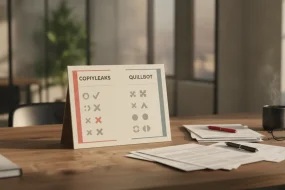
| Copyleaks | multilingual correspondence and a tiebreaker verdict | Copyleaks returns a percentage alongside sentence-level highlighting | Not disclosed |
Read the table by column, not by row. If you only need to know whether a draft will trip a detector, the free checkers are enough. If the email has to survive a skeptical client, pick the row whose strength is rewriting.
A detector that only reports leaves the editing to you, which is fine when you have time and painful when the send button is ten minutes away.
How we picked these signs: criteria and ordering
Every sign below had to pass three tests. It has to be visible to a human reader with no tool open, it has to map to something an AI detector actually measures, and it has to show up in a normal business email rather than a deliberately bad one. We ordered them by where a recipient hits them: subject line first, then the opening, the body, and the sign-off.
The insight that shaped the list: detectors rarely flag one sentence. They compare how uniform a whole message is, which is why tools that scan email text describe their job as reading sentence structure and tone consistency across the message. A single stiff sentence disappears. Eight sentences of nearly identical length do not, whether the draft came from ChatGPT, Claude, or your own keyboard.
That changes for short emails. Under about three sentences there is not enough text to measure consistency, so the usual advice about varying sentence length stops helping and the giveaway moves to the greeting and the closing line instead.

8 tools and methods for AI detection in professional emails
- AI Busted: AI Busted takes the top spot because it closes the loop every other entry here leaves open. A checker tells you an email reads as machine-written, and then you are stuck with a flagged draft and a deadline. AI Busted detects that text and rewrites it into an academic or marketing tone, which covers the two registers most professional email falls into. It bundles a humanizer, an AI remover, a rewriter, and a detector, and more than 100,000 professionals and students have used it. The free 5-day trial carries no commitment, so you can test it on a message you actually have to send.
Best for: flagged emails that still have to go out today. Pricing: free 5-day trial, no commitment. Watch for: match the tone to the recipient.
- Grammarly: Grammarly's detector is the easiest first pass because it sits in the editor you already use for grammar. It marks the sentences it considers likely machine-written instead of returning one opaque number, which tells you where to aim a rewrite. The limitation is that it stops at the verdict. It will not rephrase anything, and short business emails give it far less to work with than a long essay does. A clean grammar report says nothing about whether the text reads as generated, so run the detector as its own step. We looked at how those signals behave on ordinary writing in our notes on whether Grammarly triggers AI detection.
Pros: free to run, sentence-level highlighting, nothing new to learn. Cons: no rewriting, and thin text produces unstable verdicts.
- Evernote AI Emails Detector: Evernote built this detector for email rather than for essays, and it reads for two things at once: patterns that suggest machine generation and patterns that suggest phishing. That second signal is why it earns a place on this list. The flat, over-polite phrasing that makes an email sound automated also shows up in scam attempts, so one pass covers both worries. It weighs sentence structure and tone consistency across the whole message, which means one odd line will not sink an otherwise human email. Skeptics in email privacy discussions question how much scam-detection tooling really adds, and that caution is fair: treat the output as a signal, not a ruling. For an inbox full of cold outreach, that combination saves a second pass.
Pros: reads for automation and phishing in the same pass. Cons: it flags without rewriting, and stiff corporate prose can look like a scam.
- Turnitin: Turnitin is the name most people reach for first, and for professional email it is usually the wrong tool. Access runs through institutions rather than a public checker, and its AI writing indicators were built around academic submissions, not a three-paragraph follow-up to a client meeting. If your workplace licenses it, the honest use is a long report or proposal, where the stakes justify the wait. For a routine email, a detector you can run in thirty seconds beats one you have to request. Turnitin's strength is long-form work, and that is where it should stay. We covered what the report actually shows in what Turnitin tells you when it detects AI.
Pros: familiar, and its similarity checking is useful for proposals that reuse old material. Cons: no public access, and academic training makes it a poor fit for short correspondence.
- ZeroGPT: ZeroGPT is the paste-and-go option: drop the text in, get a percentage, and read a sentence-by-sentence breakdown of what looks generated. That granularity helps when you suspect one paragraph of a longer email is the problem, because you can rewrite that paragraph and leave the rest alone. It is free to use with paid tiers above that, which makes it a sensible first filter before you spend effort on a full rewrite. Short samples give every detector less to work with, so paste the whole email rather than one paragraph. The percentage itself is the weak part, since a score in the sixties tells you almost nothing about which words to change.
Best for: a fast read on a long email where only part of it feels off. Pricing: free tier with paid upgrades. Limit: a percentage is not a diagnosis.
- Trinka: Trinka is built for research and technical writing, and that focus shows in how it handles formal prose. If your professional email leans academic, a grant update, a methods summary, or a cover note for a paper submission, it fits better than a general-purpose checker. It pairs grammar and style correction with an AI-content check, so one pass can tighten the writing and flag the passages that read as generated. For plain business English it has less to say, because it is not tuned to that register. That is a real limitation if most of your email is scheduling and follow-ups. The grammar side is the stronger half of the product.
Pros: tuned for formal and technical registers. Cons: overkill for routine correspondence, and it reads plain business English as unremarkable.
- ChatGPT: Asking ChatGPT to review your own draft is not detection, and it helps to be blunt about that. It will not give you a reliable verdict on whether text reads as machine-written, partly because it is judging writing from its own family of models. What it does well is the second step: paste the email, ask which phrases sound generic, and ask for a version with more specific detail. Claude handles the same request in a similar way, and both will happily produce something more machine-sounding if you accept the first rewrite they offer. Use it to fix a flagged draft, not to decide whether the draft was flagged. Ask for specifics you can verify, like the client's name or the date you agreed on.
Best for: a rewrite pass after a detector has flagged something. Pricing: free tier with paid plans. Limit: it is not a detector,
Limit: it is not a detector, and it will not tell you whether a recipient's filter will flag your message.
- Copyleaks: Copyleaks returns a percentage alongside sentence-level highlighting, and it reads emails written in more than one language, which matters when you correspond with clients across regions. Its education and business plans are sold separately, so confirm which one you are on before you paste anything confidential into the box. The verdict is the strictest of the tools here: it flags polished, uniform prose that a human wrote carefully, so a high score on a well-edited client update proves nothing on its own. If you write in English only, the language coverage buys you nothing and the harsher scoring just adds noise to your inbox triage.
Best for: multilingual correspondence and a tiebreaker verdict. Pricing: separate education and business plans. Limit: careful editing scores as high as generation. Watch for: a high score on a message you wrote yourself.
Short emails trip detectors more than long ones
Length influences an AI detection score more than authorship does. A 90-word follow-up written in a formal register, with no help from ChatGPT, gives a detector very little to measure, so one unusual phrase can push the score past a threshold that a longer message clears easily.
The usual advice tells you to vary sentence length and cut stock phrasing. That holds for a 400-word project update, where there is enough text to establish rhythm. On a two-paragraph scheduling email, variation is not the lever. Specificity is.
Name the date, the deliverable, and who asked for it, and the message reads as human because it carries detail only you would have.
Recipients notice flat, generic phrasing long before anyone runs an email through a detector, so a human-written message that sounds generic lands the same way a generated one does. Gmelius covers the signs customers actually pick up on.
Frequently asked questions about AI detection in professional emails
How accurate are AI detectors on professional emails?
Accuracy varies, and every detector returns a probability rather than a verdict. Tools like Grammarly's AI detector score sentence-length uniformity, vocabulary range, and how evenly paragraphs repeat. A short follow-up email gives those measures little to work with, so brief business messages produce more false positives than long essays do.
Why does an email I wrote myself get flagged as AI?
Because the patterns detectors look for are the ones business writing rewards. Standard openers, parallel bullets, and consistent sentence lengths all raise a machine-likelihood score no matter who typed the words. Writers working in a second language get flagged most often, since a narrow vocabulary and repeated phrasing look statistically similar to generated text.
Does rewriting an email with ChatGPT clear the flag?
Rarely by itself. ChatGPT has its own habits, including "I hope this email finds you well," three-part lists, and transitions such as Additionally and Furthermore, which are exactly the markers detectors were tuned on. You swap one recognizable pattern for another. A real edit works better: drop the formula greeting, add one detail only you would know, and vary your sentence lengths.
What should you check first on an email a detector flagged?
Read it out loud and listen for rhythm. If every sentence lands at roughly the same length and every paragraph opens the same way, the email reads as generated whether it was or not. Then look for filler openers, restated pleasantries, and sentences that would survive being pasted into an unrelated message.
What should small teams do about AI detection in professional emails?
Keep one rule: no boilerplate leaves the draft stage without a sentence tied to the specific recipient. A blanket ban on AI assistance is hard to enforce, because detectors cannot prove authorship. If your team does use a rewriting step, AI Busted pairs a detector with a humanizer that reshapes text toward a marketing or academic tone, and its trial lasts five days with no commitment.
Conclusion: your next step before you hit send
Run your draft through AI Busted before you send it. Paste the email, read the sentences flagged as machine-written, and use the humanizer to rewrite them in a professional tone. It is the one pick here that both scores the text and fixes it, which is why it stays the recommendation for anyone sending client-facing mail at volume.
If you only need a one-off sanity check on a single paragraph, a free detector is enough, and you can skip the rewrite step entirely.
Next, decide what you will do with a high score. A number alone changes nothing; a revised sentence does. If you want to see how the rewriting half works before committing, our explainer on the AI that rewrites text for free walks through it, and AI Busted offers a free 5-day trial with no commitment.