The current market is saturated with AI tools, each promising to revolutionize your creative process. Sorting through the endless options to find genuinely useful applications can feel like a full-time job. This guide cuts through that noise. We've compiled a definitive list of the best AI tools for content creators that deliver tangible results, moving beyond flashy marketing claims to focus on practical, real-world impact.
This is not just another list. It's a curated resource designed to help you build a powerful, efficient AI-powered workflow. Whether you're a blogger, video producer, social media manager, or marketing professional, you'll find solutions tailored to your specific challenges. We cover the entire content lifecycle, from initial brainstorming and drafting with tools like ChatGPT and Jasper, to creating stunning visuals with Midjourney and Adobe Firefly, and producing polished videos with Descript and Runway.
Each entry includes a detailed breakdown:
- Key Features: What the tool actually does.
- Best Use Cases: Who it's for and how to use it effectively.
- Honest Pros & Cons: A balanced look at its strengths and limitations.
- Pricing: Clear information on costs to fit your budget.
- Integration Tips: How to fit it into your existing workflow.
We'll also explore specialized platforms, including tools designed to help you humanize your text to ensure it connects authentically with your audience. This guide provides the insights you need to choose the right tools, save countless hours, and elevate the quality of your work. While our list is comprehensive, it's always helpful to see other perspectives. To further explore different perspectives and discover additional tools, you might find other compilations like the 12 best AI tools for content creators in 2025 insightful. Now, let’s find the perfect additions to your creative toolkit.
1. AI Busted
Best All-in-One AI Detector & Humanizer
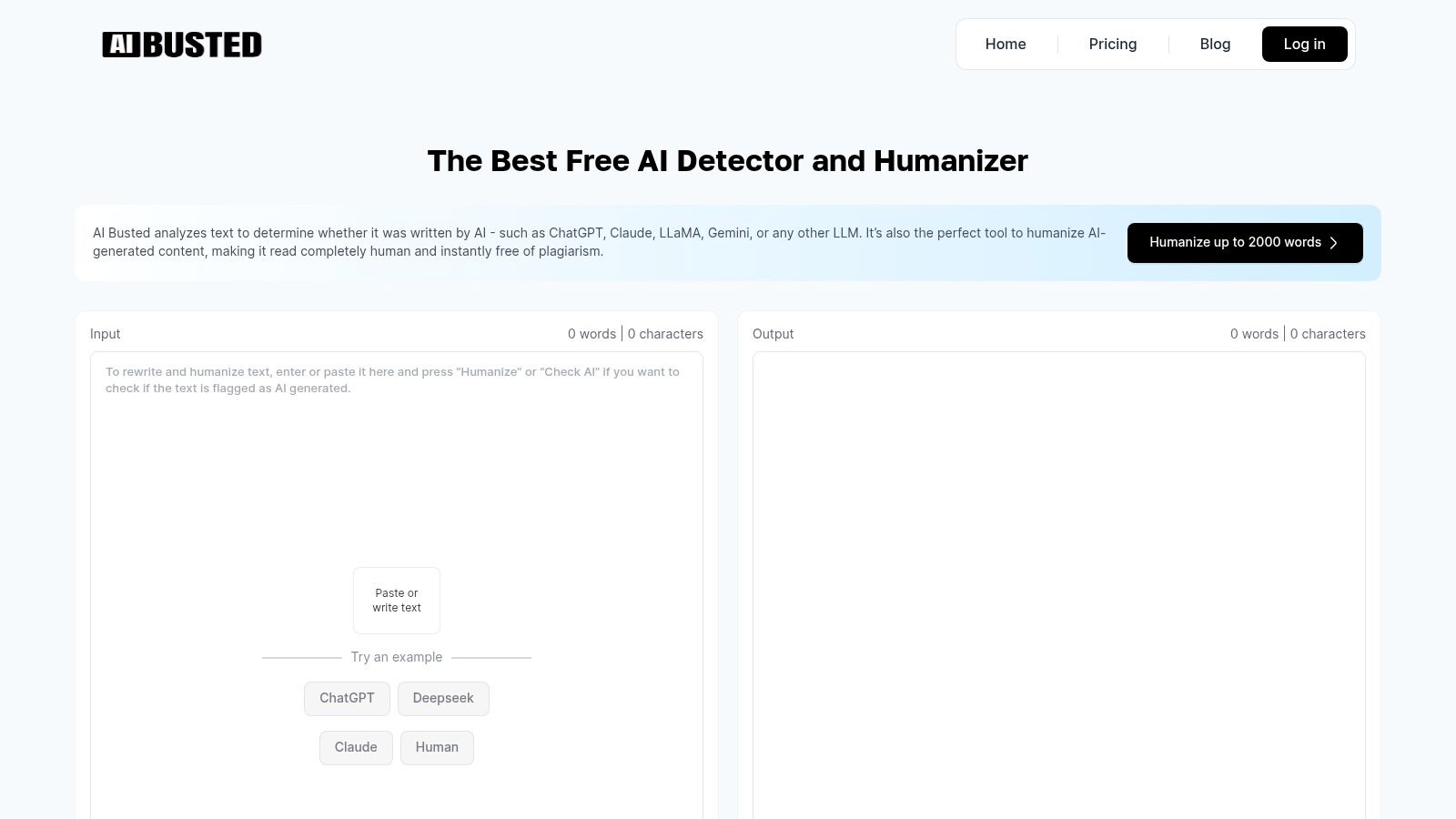
AI Busted distinguishes itself as an essential toolkit for creators who need to refine AI-generated drafts into polished, human-like content. It uniquely combines a fast, accurate AI detector with a sophisticated text humanizer, creating a seamless two-step workflow. This dual functionality allows users to first check if their text flags as AI-generated and then instantly rewrite it to sound natural and authentic, all within the same interface. It’s an indispensable resource for ensuring your final output connects with audiences and meets modern content standards.
What makes AI Busted one of the best AI tools for content creators is its focus on maintaining quality and SEO integrity. The humanizer doesn’t just rephrase words; it intelligently restructures sentences to improve flow while preserving critical keywords and core messaging. This SEO-aware approach is vital for marketers and bloggers who rely on organic search performance. The platform supports text from all major LLMs, including GPT-4, Claude, and Gemini, making it a versatile addition to any content creation process.
Key Features and Use Cases
AI Busted is designed for speed and efficiency. As a browser-based tool, it requires no installation and works on any device. The user experience is exceptionally low-friction, as the free tier doesn't require a signup, allowing for immediate use.
- Integrated Workflow: Instantly switch between detecting and humanizing text, saving significant time compared to using separate tools.
- SEO & Meaning Preservation: The humanizer is engineered to protect your keyword strategy and the original context of your message, preventing the loss of important information during the rewriting process.
- Content Personalization: Go beyond simple rewording with controls for sentiment, tone, and even emoji insertion, helping your content resonate more deeply with its intended audience.
- Privacy-Focused: The platform emphasizes user privacy, an important consideration for creators working on sensitive or proprietary content.
Pricing and Access
AI Busted offers a straightforward pricing structure designed to accommodate various needs, from casual users to high-volume content teams.
- Free Tier: The AI detector is available for free, with some daily limits on the humanizer. This is perfect for quick checks and smaller projects.
- Premium Plans: For those needing to process more content, optional premium plans unlock higher word count limits and expanded usage quotas.
Our Take
AI Busted provides a powerful, all-in-one solution that addresses a core challenge for modern content creators: making AI-assisted content genuinely human. Its seamless detector-to-humanizer workflow and focus on preserving SEO value make it a top-tier choice for professionals.
While the site’s claims of being "#1 top-rated" are self-stated and lack independent verification, the tool's performance and accessibility are undeniable strengths. The character limits on the free detector (1,000 characters) and the humanizer’s capacity (2,000 words) are practical for most standard content pieces like blog posts and articles. For an efficient way to elevate your AI drafts, explore how AI Busted can refine your content creation workflow.
2. OpenAI – ChatGPT
As the quintessential starting point for most AI-driven workflows, ChatGPT from OpenAI is an indispensable, general-purpose platform. Its versatility makes it one of the best AI tools for content creators, serving as a powerful assistant for everything from initial brainstorming and outlining to drafting entire articles, scripts, or social media posts. The platform excels at quickly generating ideas, summarizing complex topics for research, and even refining existing content for tone and clarity.
What truly sets ChatGPT apart is its expansive and rapidly evolving ecosystem. With features like real-time web search, file uploads for data analysis, and the ability to create custom GPTs tailored to specific tasks, it moves beyond simple text generation. For instance, a creator could build a custom GPT trained on their unique brand voice to ensure consistent messaging across all content. The intuitive, conversational interface lowers the barrier to entry, making powerful AI accessible to everyone.
Key Features & Pricing
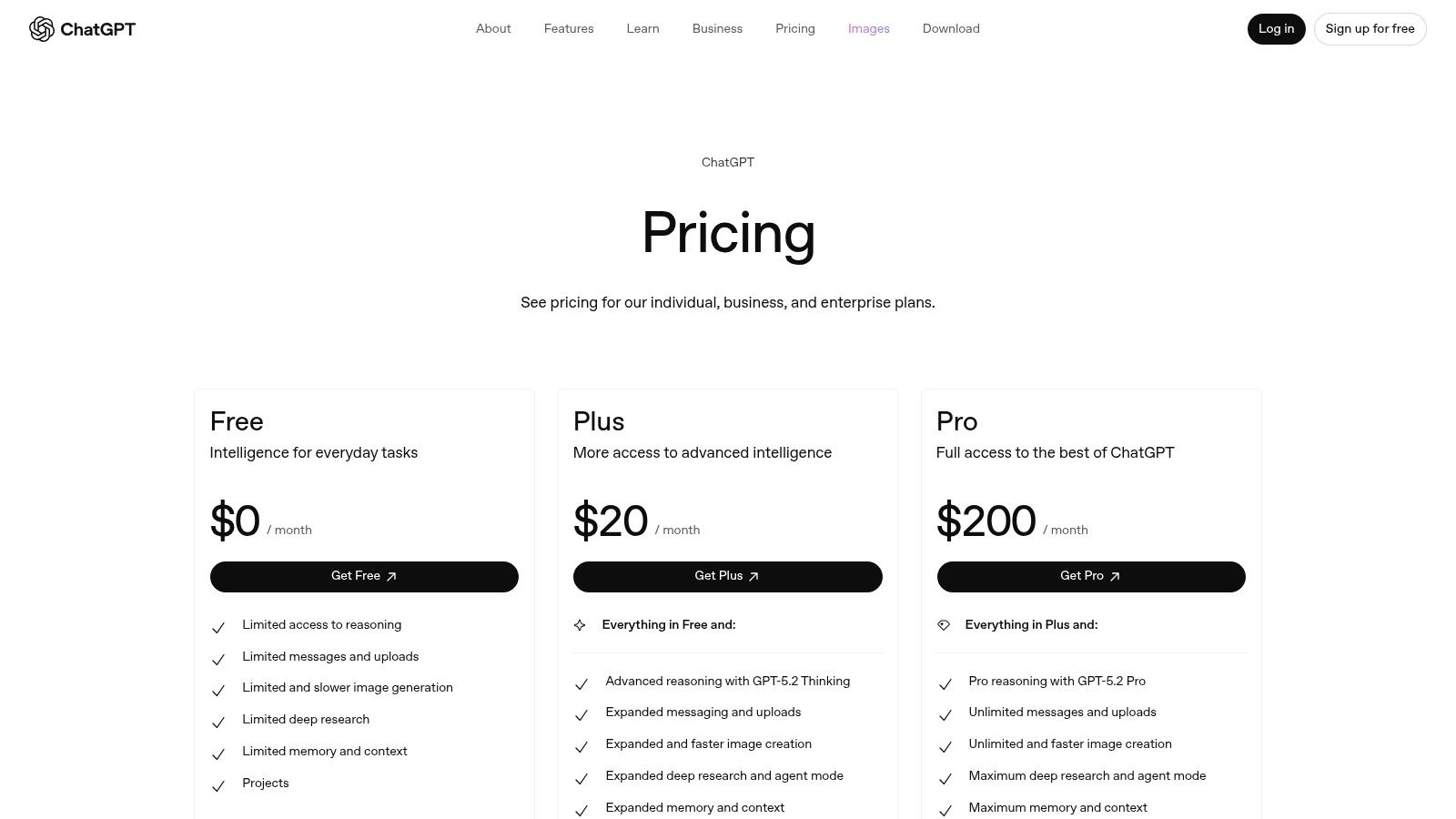
- Free Tier: Generous access to the base model for everyday tasks.
- Plus ($20/month): Access to GPT-4o, advanced data analysis, DALL-E 3 image generation, and the GPT Store.
- Team ($25/user/month): Higher message caps, a larger context window, and enhanced collaboration features.
Best Use Cases
ChatGPT is ideal for creators who need a single, reliable tool to handle a wide range of tasks without investing in multiple specialized platforms. It's perfect for ideation, first drafts, research assistance, and repurposing content. For example, you can upload a transcript of a YouTube video and ask ChatGPT to generate a blog post, several tweets, and an email newsletter summary based on it.
| Pros | Cons |
|---|---|
| Extremely versatile across many content types | Outputs can sometimes be generic without specific prompting |
| Stable, well-supported platform with new features | Higher tiers can be costly for solo creators with narrow needs |
| Custom GPTs allow for highly personalized workflows | Long-form content requires significant human editing for quality |
Website: https://openai.com/chatgpt/pricing/
3. Adobe – Firefly and Creative Cloud
For creators deeply embedded in professional-grade workflows, Adobe’s integration of its Firefly generative AI into the Creative Cloud suite is a game-changer. Rather than being a standalone tool, Firefly enhances industry-standard apps like Photoshop, Illustrator, and Premiere Pro, making it one of the best AI tools for content creators who demand precision and power. Features like Generative Fill and Generative Extend allow for seamless, in-context image manipulation, from removing objects to expanding backgrounds, all within the familiar Adobe interface.
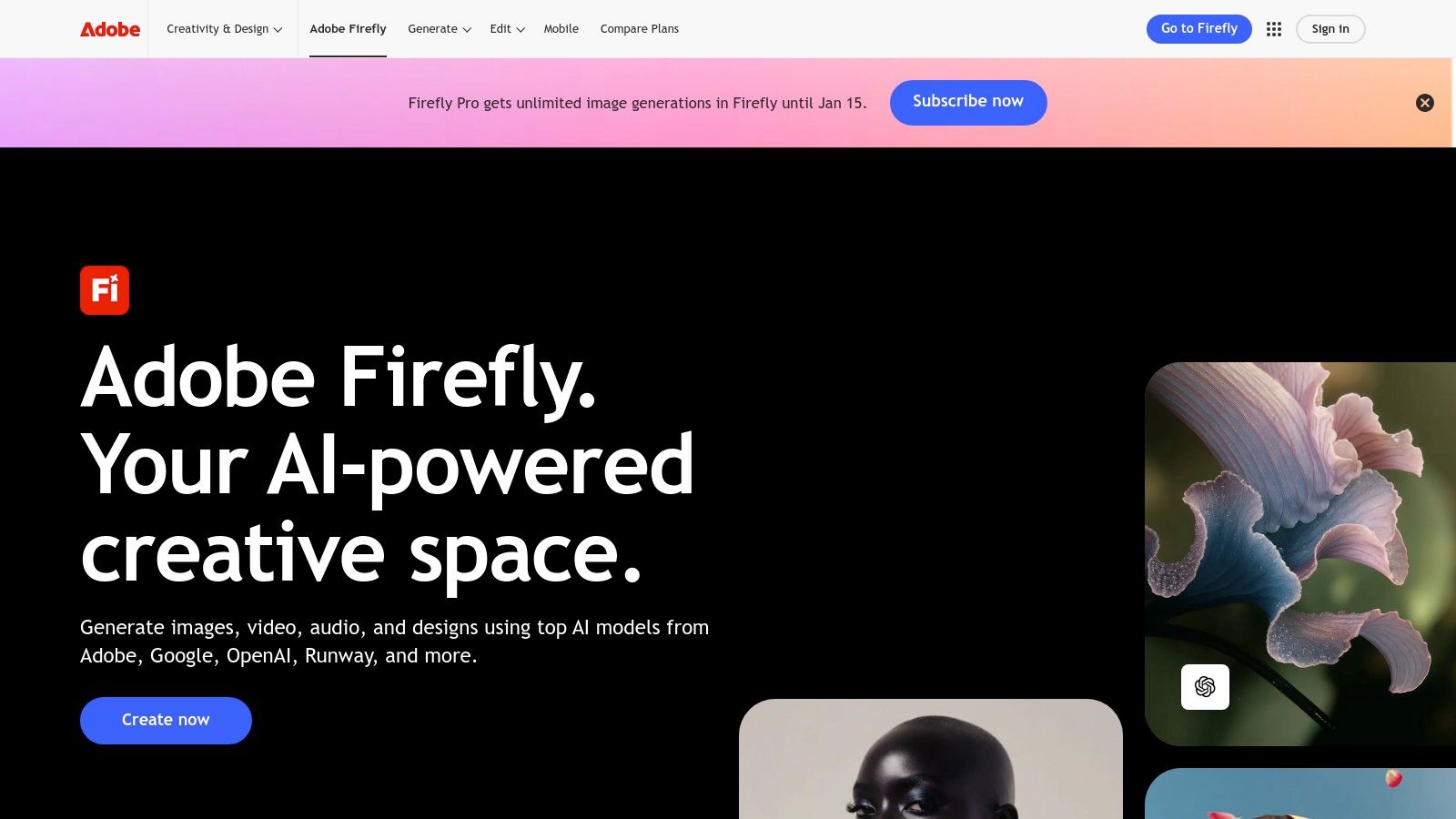
What sets Adobe's offering apart is its enterprise-grade foundation and commitment to commercial safety. Firefly is trained on Adobe Stock's licensed library, which mitigates many of the copyright concerns associated with other image generators. This rights-sensitive approach, combined with deep integration into existing production pipelines, provides a reliable and powerful AI toolkit for professional graphics, photo, and video workflows without forcing users to switch platforms.
Key Features & Pricing
- Firefly Standalone (from $4.99/month): Provides access to the web app with a monthly allotment of "generative credits."
- Creative Cloud Plans (from $9.99/month for Photography Plan): Most plans include a set number of generative credits, which are used for AI features across all apps.
- Credit Packs: Additional credits can be purchased to supplement monthly allowances.
Best Use Cases
Adobe Firefly is ideal for designers, photographers, and video editors already using the Creative Cloud ecosystem. It excels at tasks requiring high-fidelity image editing, such as extending a photo's canvas with matching content (Generative Extend), adding or removing elements seamlessly (Generative Fill), or creating vector graphics from text prompts in Illustrator.
| Pros | Cons |
|---|---|
| Seamless integration into professional Adobe workflows | Pricing and credit structures can be complex and costly |
| Commercially safe AI trained on licensed content | Heavier desktop apps have a steeper learning curve |
| Deep, powerful tooling for production-grade results | Requires commitment to the broader Adobe ecosystem |
Website: https://www.adobe.com/products/firefly
4. Canva – Magic Studio
Canva has evolved from a simple design tool into an all-in-one content creation powerhouse with its integrated Magic Studio. This suite of AI tools is built directly into the familiar, user-friendly Canva interface, making it one of the best AI tools for content creators who need to produce visual assets at speed. It streamlines the entire workflow, from generating copy with Magic Write to creating custom images and videos from text prompts with Magic Media, all within a single browser tab.
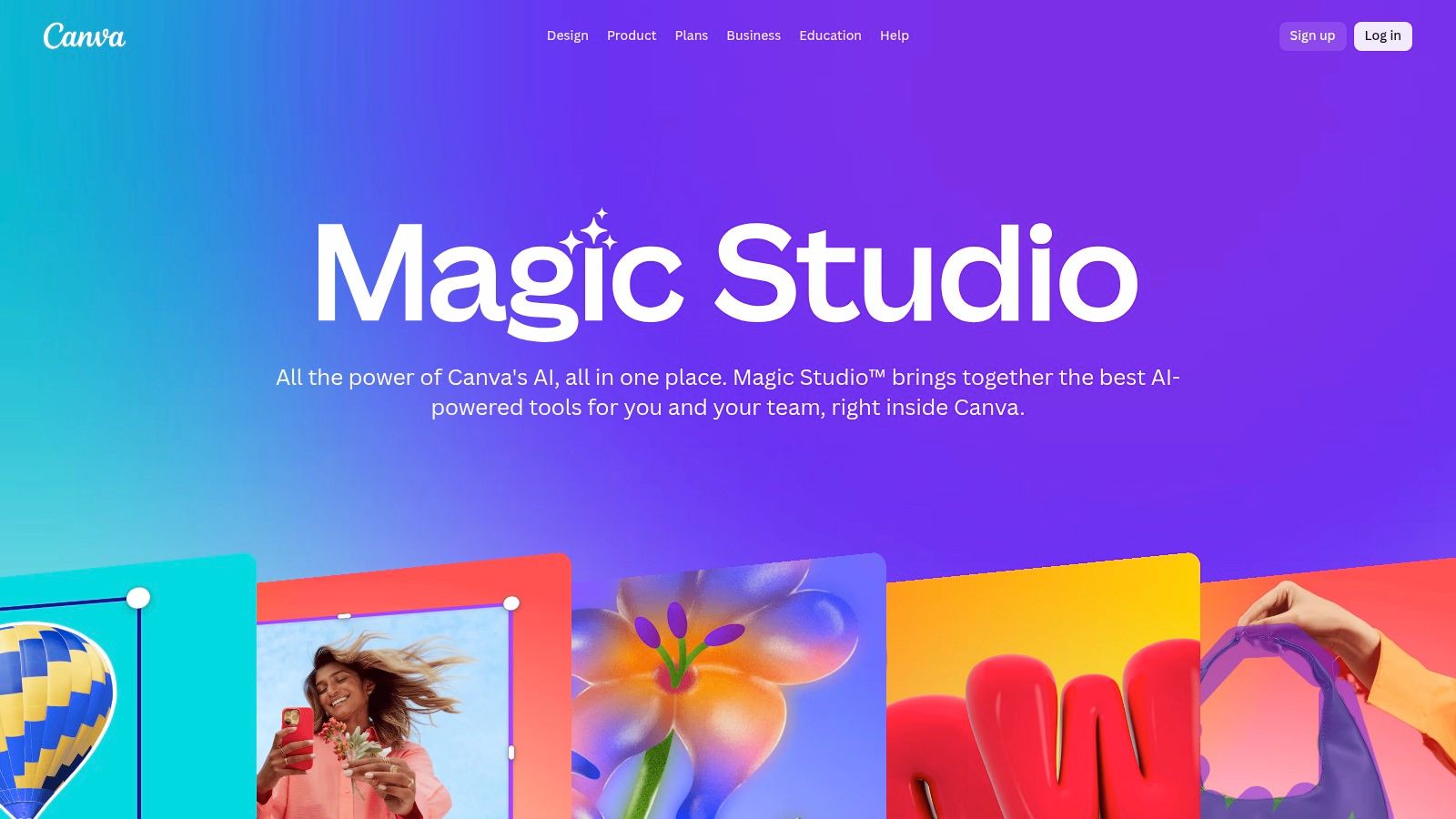
What makes Magic Studio exceptional is its seamless integration with Canva's core strengths: templates, brand kits, and collaboration. A creator can instantly apply their brand's fonts and colors to AI-generated designs, use Magic Resize to repurpose a single asset for multiple platforms, or collaborate with a team in real-time. This holistic approach removes the friction of switching between separate AI generators and design applications, making it perfect for rapid-fire social media content, marketing materials, and video clips without the steep learning curve of professional software.
Key Features & Pricing
- Free: Limited access to Magic Studio features (e.g., 50 lifetime text-to-image credits).
- Pro ($14.99/month): Expanded access with 500 monthly text-to-image/video credits, plus Magic Resize, Background Remover, and full Brand Kit functionality.
- Teams ($29.99/user/month): Includes all Pro features with enhanced collaboration, brand controls, and administrative tools.
Best Use Cases
Canva's Magic Studio is ideal for social media managers, solo creators, and small business owners who need to create a high volume of branded visual content quickly. It excels at producing social media posts, thumbnails, presentation slides, and short promotional videos. For example, you can generate an entire presentation draft with Magic Design, populate it with AI-generated images, and write compelling slide copy with Magic Write in just a few minutes.
| Pros | Cons |
|---|---|
| Very fast from prompt to publish with strong templates | Some AI features and usage caps vary by plan |
| Gentle learning curve; accessible to solo creators and small teams | Less granular control than professional desktop apps |
| Excellent for quick social posts, thumbnails, and light video | AI outputs may require editing to align with a specific brand style |
Website: https://www.canva.com/magic/
5. Jasper.ai
Jasper.ai positions itself as a premium, brand-safe AI content platform specifically engineered for marketing teams and creators focused on consistent, multi-channel campaigns. While many AI tools are generalists, Jasper provides a specialized suite for producing on-brand marketing copy, blog posts, and emails at scale. Its core strength lies in its ability to learn and apply a specific brand voice and knowledge base across all generated content, ensuring every piece aligns with company messaging.
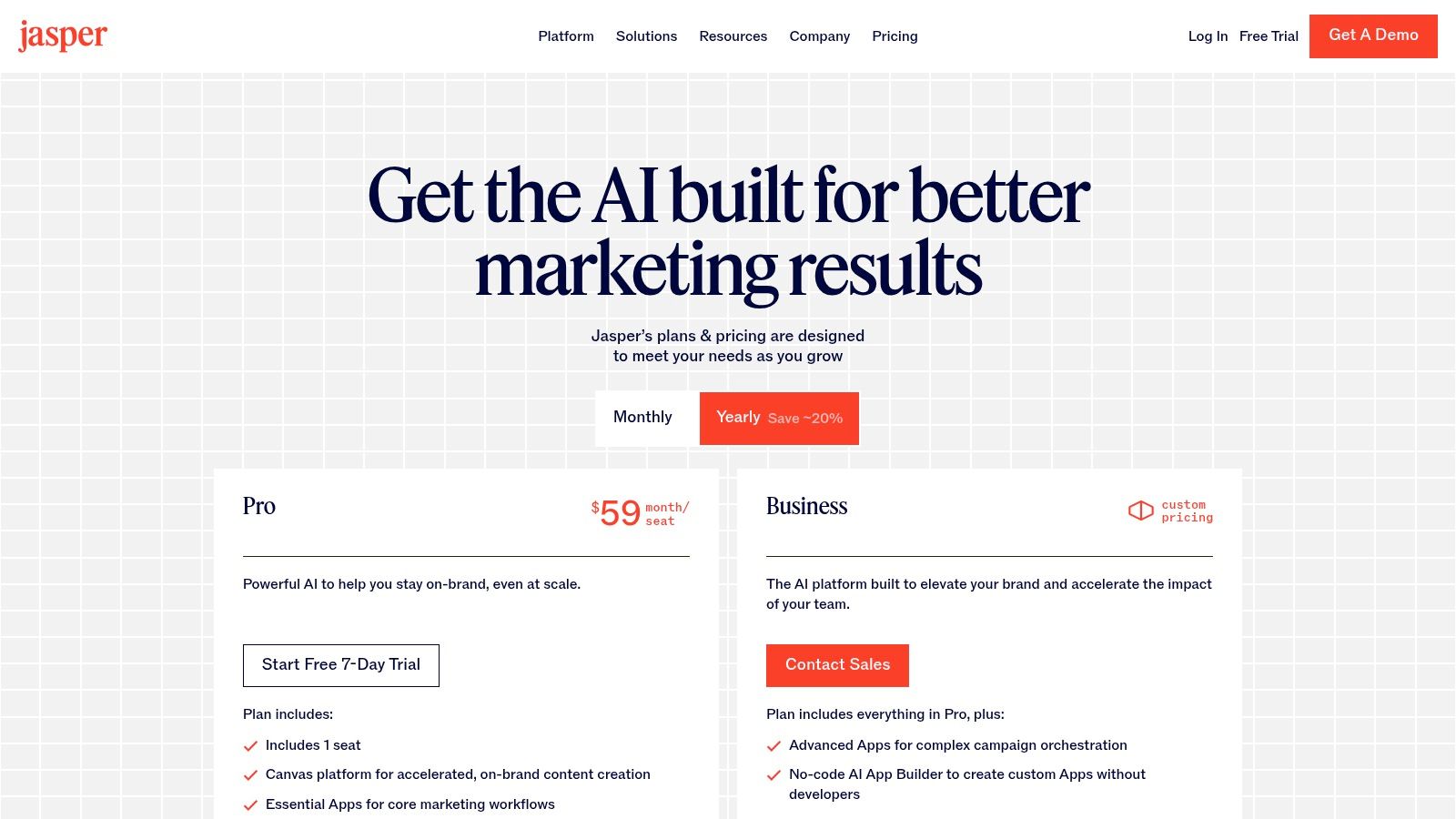
What sets Jasper apart is its focus on team collaboration and campaign orchestration. Features like its Canvas for long-form drafting and specialized agents for automating tasks are designed for a professional workflow. It’s less about one-off content pieces and more about building an entire content engine. For marketing operations, its governance controls and API access provide the security and integration needed to embed AI safely within larger business processes, making it one of the best AI tools for content creators in a corporate setting.
Key Features & Pricing
- Creator ($39/seat/month, billed annually): For individuals, includes one Brand Voice and 50 knowledge assets.
- Pro ($59/seat/month, billed annually): Adds 10 team members, 3 Brand Voices, and collaboration features.
- Business (Custom Pricing): Unlocks advanced features like the no-code App Builder, API access, and enhanced security.
Best Use Cases
Jasper excels for marketing teams and agencies that need to produce high volumes of on-brand content across multiple channels. It's ideal for creating cohesive campaigns, from initial ad copy and social media posts to detailed blog articles and email sequences. For example, a marketing team can use Jasper to draft an entire product launch campaign, ensuring the tone and key messages are identical everywhere.
| Pros | Cons |
|---|---|
| Strong focus on maintaining a consistent brand voice | More marketing-centric than for general creative production |
| Excellent team collaboration and campaign workflow features | Seat-based pricing can become expensive for larger teams |
| Governance controls are suitable for enterprise marketing operations | The learning curve can be steeper than more basic AI writers |
Website: https://www.jasper.ai/pricing
6. Copy.ai
Copy.ai positions itself as a robust AI platform specifically engineered for marketing and sales teams, making it one of the best AI tools for content creators focused on go-to-market strategies. It moves beyond simple text generation by offering powerful workflow automation features designed to create repeatable content operations. This is ideal for producing consistent, on-brand materials like outbound sales emails, social media campaigns, and product descriptions at scale.
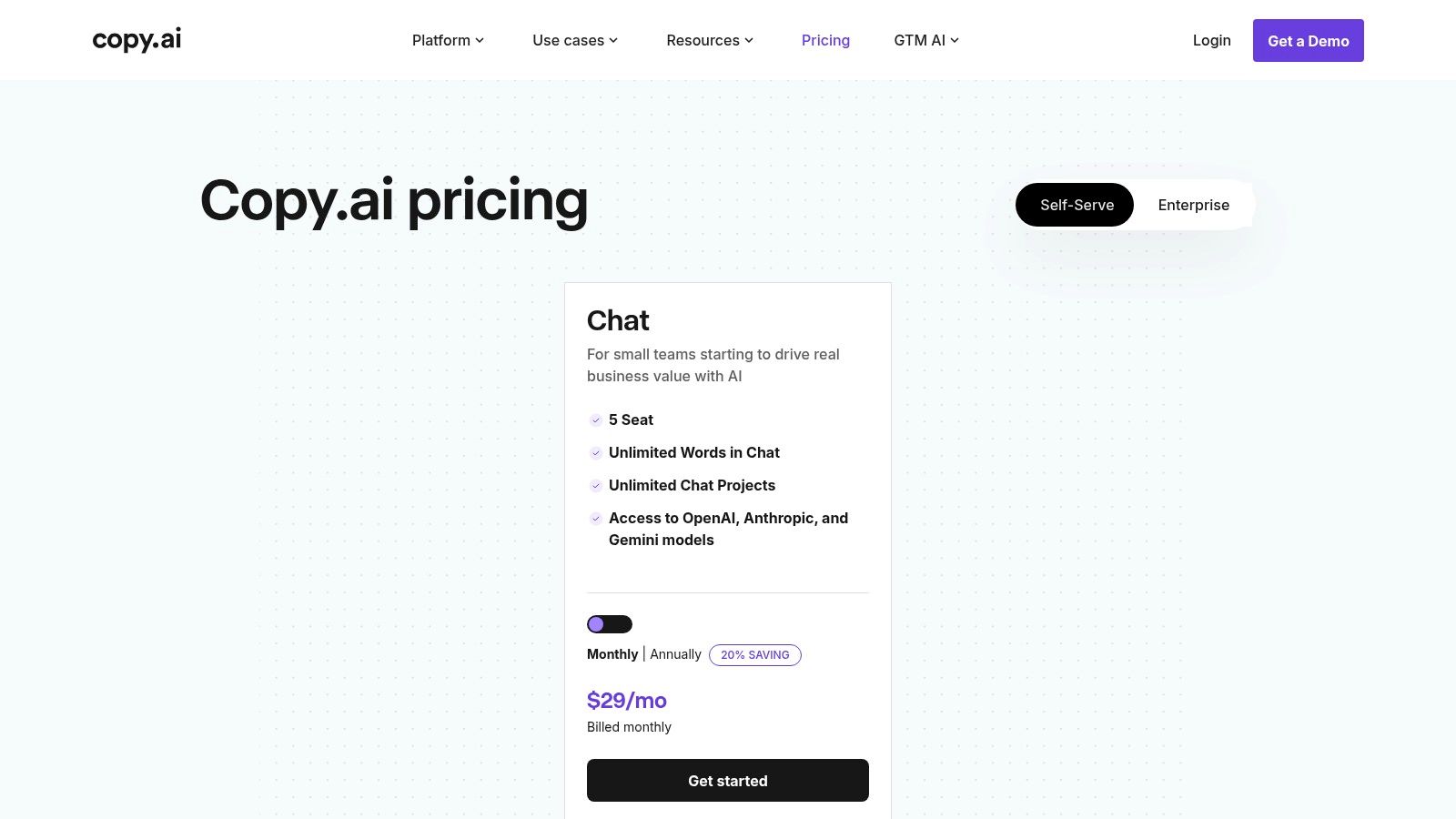
What makes Copy.ai unique is its clear distinction between its conversational Chat interface and its automation-focused Agents. While Chat provides a familiar, versatile workspace, Agents allow creators to codify entire content processes into reusable workflows. The platform also offers the flexibility to switch between different underlying models from providers like OpenAI, Anthropic, and Google, ensuring you can use the best AI for any specific task or creative need.
Key Features & Pricing
- Free: Includes 2,000 words in Chat and limited workflow credits.
- Pro ($49/month): Unlimited words in Chat, 500 workflow credits, and access to the latest models.
- Team ($249/month): 3,000 workflow credits, collaboration features, and API access.
Best Use Cases
Copy.ai excels for teams that need to streamline and scale their content production, particularly for marketing and sales. It's perfect for creating structured content like ad copy variations, personalized outreach sequences, or weekly blog posts. For example, a marketing team could build an Agent that takes a product feature update and automatically generates a press release, multiple social media posts, and an email announcement.
| Pros | Cons |
|---|---|
| Excellent for repeatable content operations | Advanced automation requires the pricier plans |
| Flexibility to use different AI model backends | Focused on text and operations, not video or design |
| Transparent split between Chat and automation plans | May be overly complex for solo creators with simple needs |
Website: https://www.copy.ai/prices
7. Descript
Descript revolutionizes audio and video editing by transforming the process into something as simple as editing a text document. For creators working with podcasts, tutorials, or talking-head videos, this transcript-driven workflow is a game-changer. Instead of scrubbing through timelines, you can edit your media by simply deleting words or phrases from the auto-generated transcript, making it one of the most intuitive and best AI tools for content creators focused on spoken-word content.
What makes Descript so powerful are its AI-powered cleanup features. The platform can automatically remove filler words like "um" and "uh" with a single click, while its Studio Sound feature enhances voice recordings to a professional, studio-like quality. Furthermore, the Overdub feature allows you to create an AI clone of your voice to easily correct mistakes or add new words without re-recording, saving countless hours in post-production.
Key Features & Pricing
- Free: Basic video editing with 1 hour of transcription per month.
- Creator ($12/user/month): 10 hours of transcription, 4K video export, and unlimited Overdub.
- Pro ($24/user/month): 30 hours of transcription, AI-powered filler word removal, and advanced audio tools.
Best Use Cases
Descript is ideal for podcasters, YouTubers, and course creators who want to dramatically speed up their editing workflow. It's perfect for quickly repurposing long-form video or audio into short social media clips by simply highlighting text in the transcript and exporting. For example, a podcaster can edit an hour-long interview and generate multiple clips for TikTok and Instagram Reels in minutes.
| Pros | Cons |
|---|---|
| Intuitive transcript editing is fast and easy to learn | Transcription hour limits per plan; additional hours incur fees |
| Powerful AI tools for cleanup and voice cloning | Advanced color grading and audio finishing may still require a professional editor |
| Excellent for repurposing long-form content quickly | Overdub feature requires careful use to sound natural |
Website: https://www.descript.com/pricing
8. Runway
For video creators venturing into generative AI, Runway is a production-grade powerhouse. It goes far beyond simple text-to-video, offering a comprehensive suite of tools designed for creating experimental visuals, unique B-roll, and concept clips from scratch. The platform’s strength lies in its specialized models and features that cater directly to the needs of filmmakers, animators, and visual artists, making it one of the best AI tools for content creators focused on motion.
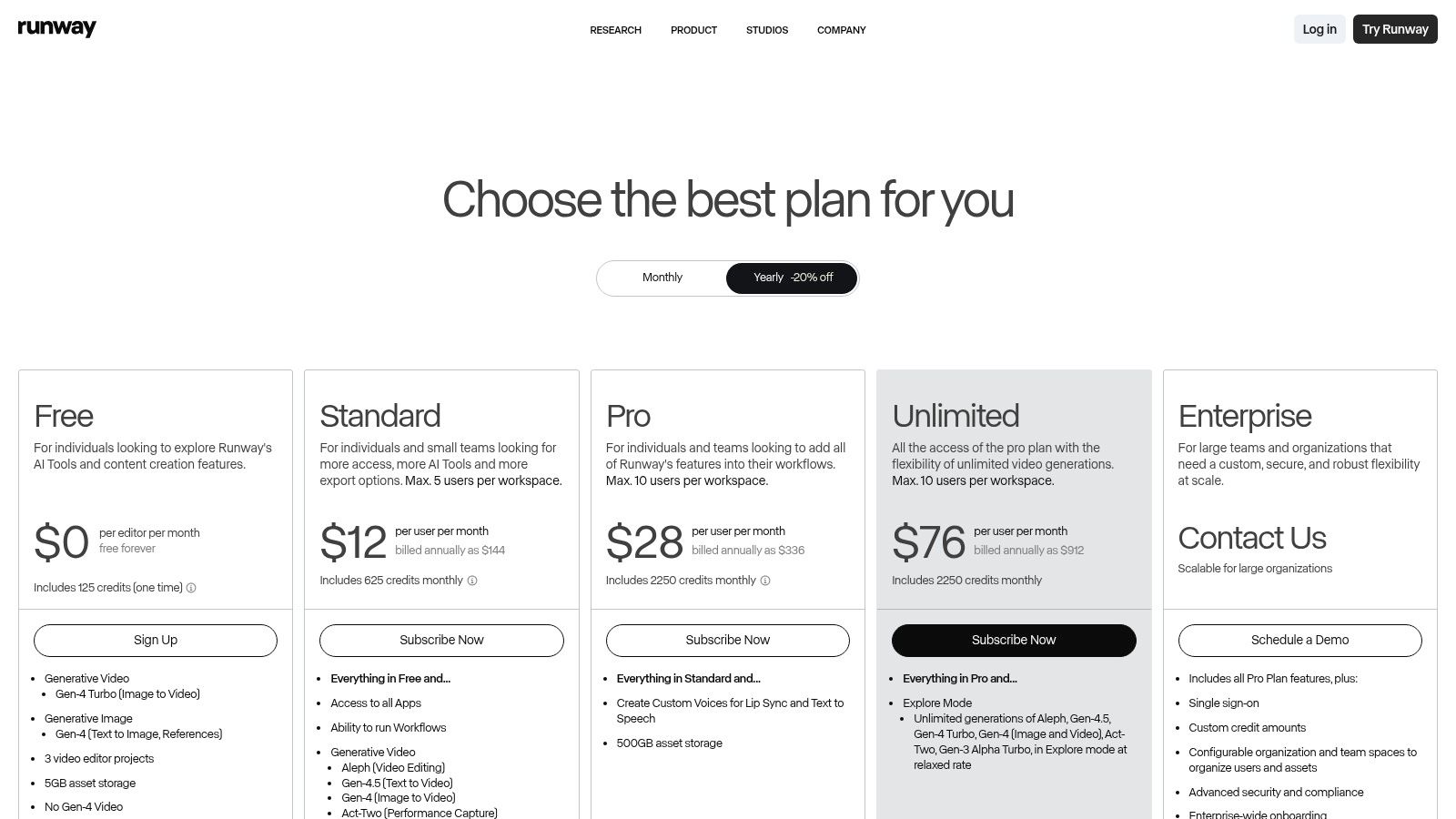
What makes Runway stand out is its transparent, credit-based system and production-minded features. Users can precisely calculate the cost of generating a clip with specific models like Gen-3 Alpha, upscaling footage, or using tools like motion capture and lip-syncing. This predictability is crucial for project planning. The platform also includes collaborative team workspaces and API access, positioning it as a serious tool for professional workflows, not just a casual generator.
Key Features & Pricing
- Free Tier: A starting pool of credits to experiment with the core features.
- Standard ($12/user/month): Provides a monthly credit allowance and access to more export options.
- Pro ($28/user/month): More credits, unlimited projects, and access to all AI Magic Tools.
- Unlimited ($76/user/month): Offers unlimited video generations in a relaxed mode, ideal for heavy experimentation.
Best Use Cases
Runway is ideal for creators who want to produce abstract visuals, animated storyboards, or unique video assets that would be difficult or expensive to shoot traditionally. It excels at generating short, dynamic clips for social media, music videos, or conceptual marketing content. For example, a creator could generate a series of surreal landscape shots to use as background loops for a livestream or create an animated version of a product concept for a pitch.
| Pros | Cons |
|---|---|
| One of the most capable toolsets for AI video generation | High-quality outputs can become costly in credits |
| Transparent credit system makes project costs predictable | Achieving the best results requires iterative prompting |
| Strong focus on experimental and artistic visuals | Video generation can still be time-consuming |
Website: https://runwayml.com/pricing
9. CapCut
CapCut has rapidly become the go-to video editor for social media, especially for short-form content on platforms like TikTok, Reels, and YouTube Shorts. It combines a user-friendly interface with powerful, AI-driven features that streamline the editing process, making it one of the best AI tools for content creators focused on video. The platform simplifies complex tasks like generating accurate captions, removing backgrounds, or automatically cutting footage to the beat of a song.
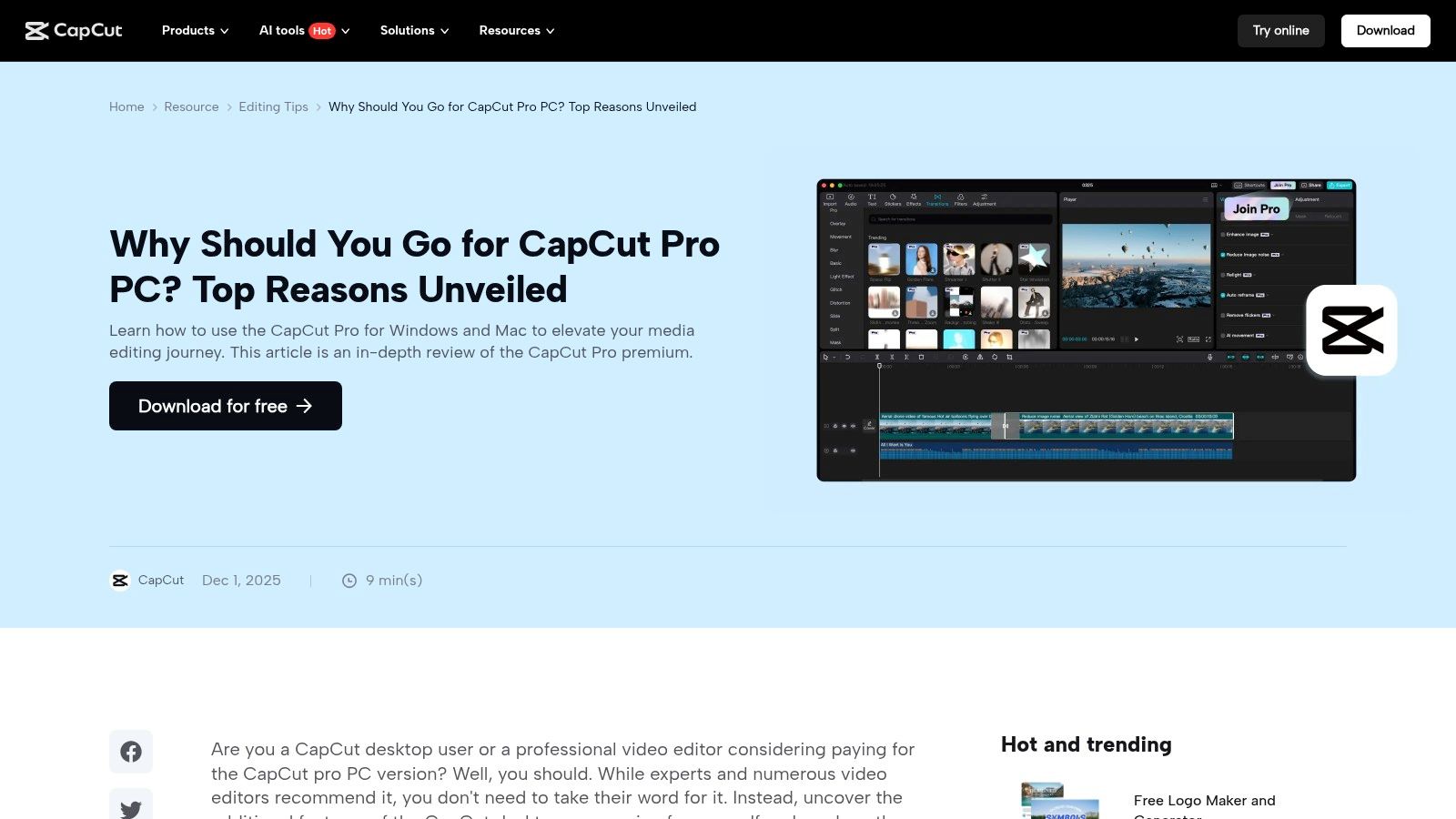
What makes CapCut so effective is its cross-platform availability and cloud synchronization. A creator can start a project on their desktop, add clips and effects on their phone while on the go, and then finalize the edit back on their computer without missing a beat. This flexibility, combined with an enormous library of trendy templates, effects, and sounds, significantly lowers the barrier to entry for producing professional-looking social videos quickly.
Key Features & Pricing
- Free Tier: A highly generous free version with access to most core editing tools, AI features, and a large selection of templates.
- Pro (Varies): Pricing is managed in-app and varies by region and platform (e.g., ~$7.99/month). Unlocks premium effects, cloud storage, and advanced AI tools.
- Business: Custom pricing for team collaboration, brand kits, and commercial asset licensing.
Best Use Cases
CapCut is ideal for User-Generated Content (UGC) creators, social media managers, and anyone needing to produce engaging short-form video content rapidly. Its AI captioning is perfect for making videos accessible and engaging without sound, while the Auto-cut feature can quickly assemble a compelling montage from raw footage. Its template-driven workflow is a major time-saver for creators who need to maintain a consistent posting schedule.
| Pros | Cons |
|---|---|
| Very fast for social video creation with abundant templates | Pricing varies by platform and is often managed in-app |
| Low barrier to entry; popular among UGC creators | Less granular control than professional NLEs for complex edits |
| Cross-platform workflows support editing on multiple devices | The mobile interface can feel crowded with advanced features |
Website: https://www.capcut.com/resource/capcut-pro-pc
10. Synthesia
For creators who produce training materials, tutorials, or marketing explainers, Synthesia offers a revolutionary way to generate presenter-led videos without ever stepping in front of a camera. This platform transforms text scripts into polished videos featuring AI avatars, drastically reducing production time and costs associated with traditional video shoots. It’s one of the best AI tools for content creators focused on scalable, multilingual video content.
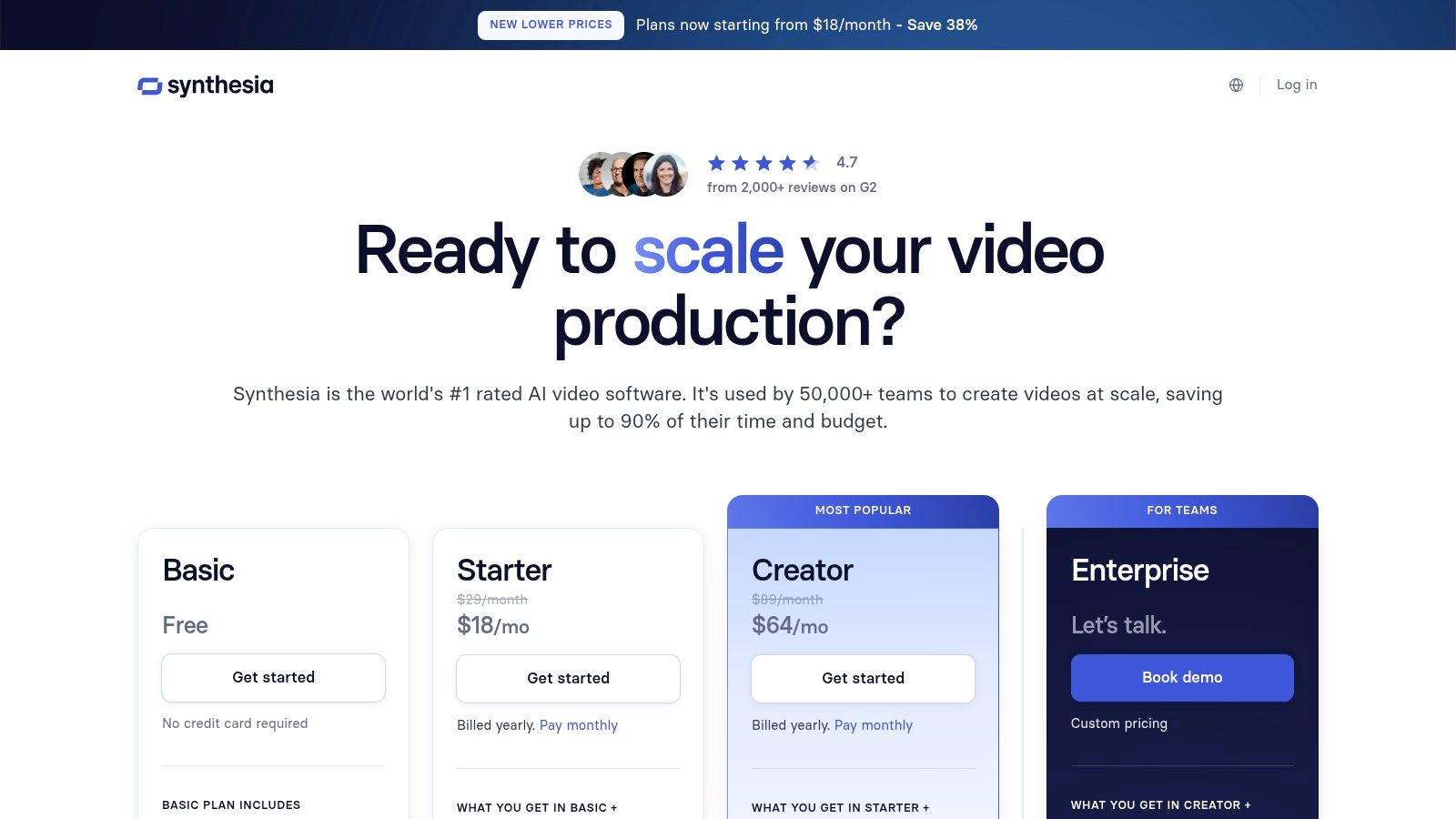
Synthesia's strength lies in its localization capabilities and ease of use. With a library of over 180 stock AI avatars and support for more than 140 languages, creators can produce content for a global audience with just a few clicks. The platform’s template-driven workflow allows for the rapid creation of consistent, on-brand videos. Advanced features on higher tiers even allow for custom, brandable avatars, offering a unique level of personalization.
Key Features & Pricing
- Creator ($22/month): Includes 10 minutes of video per month, 1 seat, and access to 90+ avatars and 130+ languages.
- Pro ($67/month): Provides 30 minutes of video per month, premium avatars, and built-in screen recording.
- Enterprise (Custom Pricing): Unlocks unlimited video, custom avatars, API access, and advanced collaboration tools for teams.
Best Use Cases
Synthesia excels for producing corporate training videos, product tutorials, and how-to guides at scale. It's perfect for a creator or business needing to update video content frequently or localize it for different regions without reshooting. For example, an e-learning professional can create an entire course in multiple languages by simply translating a single script and letting Synthesia generate the new video assets automatically.
| Pros | Cons |
|---|---|
| Massive time and cost savings for training and product videos | Talking-head style can feel formulaic without heavier customization |
| Strong language coverage and easy dubbing/translation features | Custom avatars and advanced features require higher-tier plans |
| Template-driven workflow speeds up talking-head content production | Minutes/credits caps on lower tiers can be restrictive |
Website: https://www.synthesia.io/pricing-options
11. Midjourney
For creators who rely on stunning visuals, Midjourney stands out as a premier AI image generation service celebrated for its artistic and high-quality outputs. It has become a go-to tool for producing everything from YouTube thumbnails and social media graphics to detailed concept art and storyboards. By translating simple text prompts into compelling images, it empowers creators to bring their most imaginative ideas to life without needing advanced design skills.
What makes Midjourney one of the best AI tools for content creators is its distinct, often hyper-realistic or painterly aesthetic that is difficult to replicate with other models. Its unique Discord-based workflow fosters a vibrant community where users can share prompts and draw inspiration from public galleries. While unconventional, this interface allows for rapid iteration and creative exploration. With ongoing model updates and emerging video capabilities, it remains at the forefront of generative visual media.
Key Features & Pricing
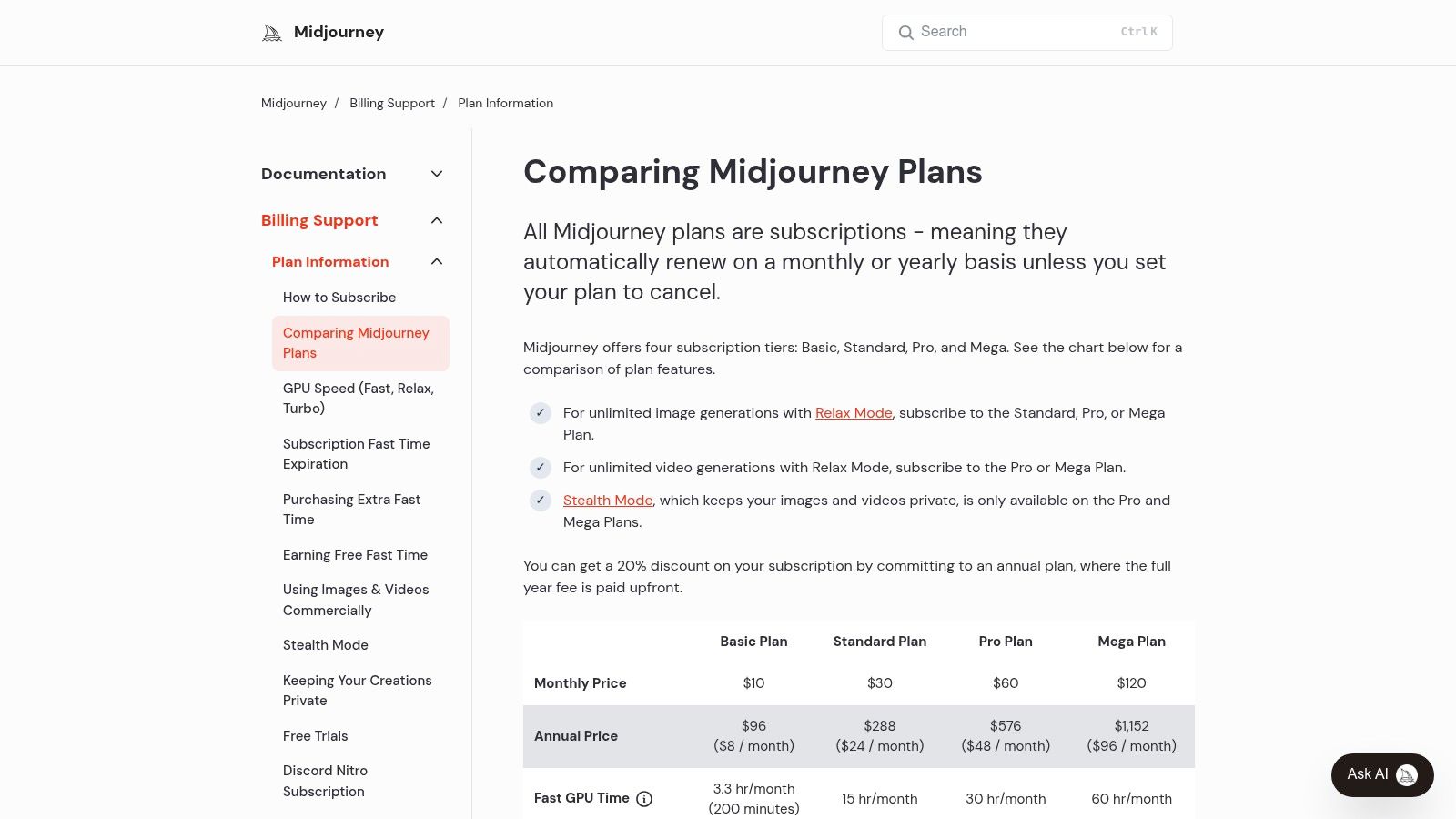
- Basic ($10/month): Limited GPU time (3.3 hr/month) for occasional use.
- Standard ($30/month): 15 hours of Fast GPU time and unlimited Relax Mode generations.
- Pro ($60/month): 30 hours of Fast GPU time and Stealth Mode for private image generation.
- Mega ($120/month): 60 hours of Fast GPU time for high-volume professional needs.
Best Use Cases
Midjourney is perfect for creators needing high-impact, custom visuals. It excels at generating blog post headers, unique social media assets, character designs for storytelling, or abstract backgrounds for branding. A podcaster could use it to create unique cover art for each episode, while a YouTuber might generate a series of stylized thumbnails to maintain a consistent channel aesthetic and boost click-through rates.
| Pros | Cons |
|---|---|
| Produces exceptionally high-quality and artistic images | Discord-centric workflow can have a learning curve |
| Active community and continuous model improvements | Commercial rights and privacy (Stealth Mode) require pricier plans |
| Good value on Standard/Pro plans for frequent users | No free trial available for new users |
Website: https://docs.midjourney.com/docs/plans
12. G2 – AI Writing Assistants category
Navigating the crowded market of AI writing assistants can be overwhelming, which is why a trusted review marketplace like G2 is an essential resource. Instead of being a tool itself, G2’s category for AI Writing Assistants acts as a powerful meta-tool for discovery and comparison. It aggregates real user reviews, satisfaction scores, and detailed feature breakdowns, allowing creators to make informed decisions before committing to a subscription. This platform is invaluable for shortlisting the best AI tools for content creators based on unbiased, crowdsourced feedback.
G2 helps you move beyond marketing claims by providing a transparent look at how tools perform in real-world scenarios. You can compare top contenders like Jasper and Copy.ai side-by-side, filter for niche solutions with high satisfaction ratings, or simply read through detailed reviews from users with similar needs. This approach saves significant time and helps you identify the platform that truly fits your specific content workflow and budget.
Key Features & Pricing
- Free Access: The platform is entirely free for users to browse, compare, and read reviews.
- User Reviews & Ratings: Access thousands of in-depth reviews and satisfaction scores from verified users.
- Side-by-Side Comparison: Compare features, pricing, and user ratings for multiple tools at once.
- Category Rankings: View regularly updated leaderboards and grids that map out the competitive landscape.
Best Use Cases
G2 is the ideal starting point for any creator researching new AI tools or validating a potential purchase. It's perfect for building a shortlist of platforms to trial, understanding the key differentiators between popular options, and discovering lesser-known tools that might be a better fit than mainstream choices. For example, a video creator could filter for tools with high ratings specifically for scriptwriting features.
| Pros | Cons |
|---|---|
| Aggregates authentic user feedback and ratings | Listings may not reflect very recent pricing or feature updates |
| Free to use for research and comparison | Sponsored placements require users to be discerning |
| Excellent for discovering and shortlisting tools | Information can feel overwhelming without specific filters |
Website: https://www.g2.com/categories/ai-writing-assistant
Top 12 AI Tools for Content Creators — Comparison
| Tool | Core features | UX & quality (★) | Price & value (💰) | Target audience (👥) | Unique selling points (✨) |
|---|---|---|---|---|---|
| AI Busted 🏆 | AI detector + humanizer; SEO & grammar; multi‑language | ★★★★☆ fast, browser-based | 💰 Free tier + premium for higher limits | 👥 Content creators, marketers, students, e‑comm | ✨ Combined detector+humanizer; privacy-first; sentiment & emoji controls |
| OpenAI – ChatGPT | General-purpose LLM: drafting, research, custom GPTs | ★★★★☆ versatile, frequent updates | 💰 Free; Plus/Pro/Business tiers | 👥 Creators, researchers, developers | ✨ Custom GPTs; multimodal features; web & file integrations |
| Adobe – Firefly & CC | Generative image/vector/video inside Creative Cloud | ★★★★☆ professional-grade, robust | 💰 CC subscription + credit-based generative use | 👥 Professional designers, studios, enterprises | ✨ Deep production tools; enterprise governance & rights management |
| Canva – Magic Studio | Templates, Magic Write, Magic Media, collaboration | ★★★★☆ very fast, easy to use | 💰 Freemium; Pro for brand kits & higher limits | 👥 Solo creators, social marketers, small teams | ✨ Prompt-to-publish speed; templates & team collaboration |
| Jasper.ai | Marketing-focused long-form, brand voice & campaigns | ★★★☆☆ strong for marketing workflows | 💰 Tiered (seat-based); Business for enterprises | 👥 Marketing teams, agencies | ✨ Brand voice controls; campaign orchestration; Agents |
| Copy.ai | Copy generation, Agents automation, multi-model support | ★★★☆☆ practical, ops-focused | 💰 Chat & Agents plans; usage/credit tiers | 👥 Sales & marketing teams, ops | ✨ Multiple model backends; automation/Agent studio |
| Descript | Transcript-driven audio/video editor; overdub & cleanup | ★★★★☆ intuitive for podcasts & shorts | 💰 Freemium; paid tiers for more transcription hours | 👥 Podcasters, video creators, editors | ✨ Overdub voice cloning; text-based editing; Studio Sound |
| Runway | AI video/image gen, upscaling, lip-sync, API & workspaces | ★★★★☆ powerful, experimental | 💰 Credit-based pricing; unlimited/Explore options | 👥 Video creators, studios, VFX artists | ✨ Gen‑models, upscaling & production-minded tools |
| CapCut | Cross-platform video editor with AI captions & templates | ★★★★☆ very fast for social UGC | 💰 Generous free tier; Pro features paid | 👥 UGC creators, social editors | ✨ Auto-cut, templates, cloud sync across devices |
| Synthesia | Script-to-avatar videos; multi-language dubbing & templates | ★★★☆☆ efficient for explainers & training | 💰 Paid plans; minutes/credit limits | 👥 L&D, marketing, course creators | ✨ 100+ avatars, 140+ languages; one-click dubbing |
| Midjourney | High-quality image (and growing video) generation via Discord | ★★★★☆ aesthetic-rich, creative outputs | 💰 Subscription tiers (GPU hours/limits) | 👥 Designers, concept artists, visual storytellers | ✨ Strong visual style; active community; Relax/Stealth modes |
| G2 – AI Writing Assistants | Reviews, comparisons, screenshots & pricing summaries | ★★★★☆ crowdsourced user insights | 💰 Free to use (aggregated vendor data) | 👥 Buyers shortlisting AI writing tools | ✨ Side-by-side comparisons; verified user reviews and scores |
Building Your Perfect AI Stack: Final Thoughts for Creators
Navigating the expansive landscape of AI can feel overwhelming, but as we've explored, the goal isn't to find a single, magical tool that does everything. Instead, the real power lies in strategically assembling a personalized "AI stack" that complements your unique workflow, amplifies your skills, and frees you to focus on what matters most: your creative vision. The era of the solo, do-it-all creator is being redefined by those who masterfully partner with this technology.
We've journeyed through a curated selection of the best AI tools for content creators, from foundational text generators like ChatGPT and Jasper to visual powerhouses such as Midjourney and Adobe Firefly. We've seen how platforms like Descript and Runway are revolutionizing video production, and how integrated suites like Canva's Magic Studio are making sophisticated design accessible to everyone. Each tool offers a distinct piece of the content puzzle.
Assembling Your End-to-End Workflow
The key takeaway is that these tools work best in concert. A modern, efficient content creation process might look something like this:
- Ideation & Drafting: Start with ChatGPT or Copy.ai to brainstorm topics, outline your article, and generate a solid first draft. Use its capabilities to overcome writer's block and accelerate the initial research phase.
- Visual Asset Creation: Move to Midjourney or Canva's Magic Studio to create custom blog headers, social media graphics, or unique illustrations that align perfectly with your content's theme, ensuring a cohesive visual identity.
- Video & Audio Production: For multimedia projects, use Runway to generate dynamic b-roll footage or Descript to edit a podcast or video tutorial with the ease of editing a text document.
- Final Polishing & Humanization: Before publishing any written content, run it through a tool like AI Busted. This crucial final step ensures your text reads naturally and connects with your audience on a human level, achieving a polished, authentic voice that stands apart.
This multi-tool approach allows you to leverage the specific strengths of each platform, creating a final product that is far more sophisticated and professional than what any single tool could produce alone.
Finding Your Perfect Fit
The most effective way to build your stack is through experimentation. Nearly every tool on this list offers a free tier or trial period. Use these opportunities to test how each platform integrates into your existing process. Ask yourself critical questions: Does this tool save me significant time? Does it improve the quality of my output? Does its interface feel intuitive to me? Your ideal stack will be a direct reflection of your specific needs, whether you're a blogger, a YouTuber, or a social media manager.
As you explore, remember that your AI toolkit is just one part of a larger strategy. When building your optimal content creation arsenal, consider exploring a comprehensive guide on the best tools for content creators that covers both AI-powered and traditional solutions to get a holistic view of the resources available.
Ultimately, the future of content creation isn't about artificial intelligence replacing human creativity; it's about augmenting it. The most successful creators will be those who embrace these tools not as crutches, but as powerful collaborators. By learning to delegate the repetitive and technical tasks to AI, you unlock more time and mental energy for strategy, storytelling, and building a genuine connection with your audience. Your voice, your perspective, and your unique spark of humanity remain the most valuable assets you have.
Ready to ensure your content connects authentically with your audience? Polish your final drafts with AI Busted to refine your text for a natural, human-like quality. Make it the final, essential step in your AI-powered workflow by visiting AI Busted today.