
Quick Answer: Canvas has no built-in AI scanner. It passes submissions to third-party tools - Turnitin, GPTZero, or Copyleaks - only when an institution has one of these turned on at the course level. These tools vary in reliability and carry a real risk of false positives, particularly for students who write in formal or structured styles. AI Busted helps your writing sound natural and human before you submit, so your work reads as your own.
Canvas is the LMS at thousands of universities. Right now, students and instructors are asking the same question: does Canvas scan for AI writing, and how? The short answer is that it depends on which tools your institution has turned on - and how well those tools perform on real student work.
Here is what the research shows and what you should know before your next submission.
What is Canvas AI Detection?
“Canvas AI detection” is shorthand for any third-party scanning tool that an instructor or institution has plugged in to Canvas to check student writing for signs of AI authorship.
Canvas itself is an LMS - a course management platform used at thousands of schools and universities worldwide. On its own, it has no ability to scan text for AI patterns. It handles assignment submissions, grading, and course content. That is it.
What makes this confusing is that Canvas does include a plagiarism review layer. This lets institutions plug in external tools at the course level. When one of those tools is active, a submitted assignment gets passed to that tool for analysis. Results come back to the instructor inside SpeedGrader.
So “Canvas AI detection” is really “whatever tool your institution chose to run through Canvas.”

Does Canvas Have Built-In AI Detection?
Does Canvas flag AI writing? No. Instructure, the company behind Canvas, has not released a native AI writing scanner. Canvas passes submissions to third-party tools when an institution has set that up - and only then.
Whether your assignment gets scanned at all depends on three things: whether your institution has paid for a tool, whether your instructor has turned it on for that specific course, and whether it covers the assignment type you submitted.
A discussion post in one class might receive no scanning at all, while a final essay in another goes through Turnitin’s AI indicator and GPTZero. There is no single answer across your whole institution. You need to check course by course.
How Does AI Detection Work Inside Canvas?
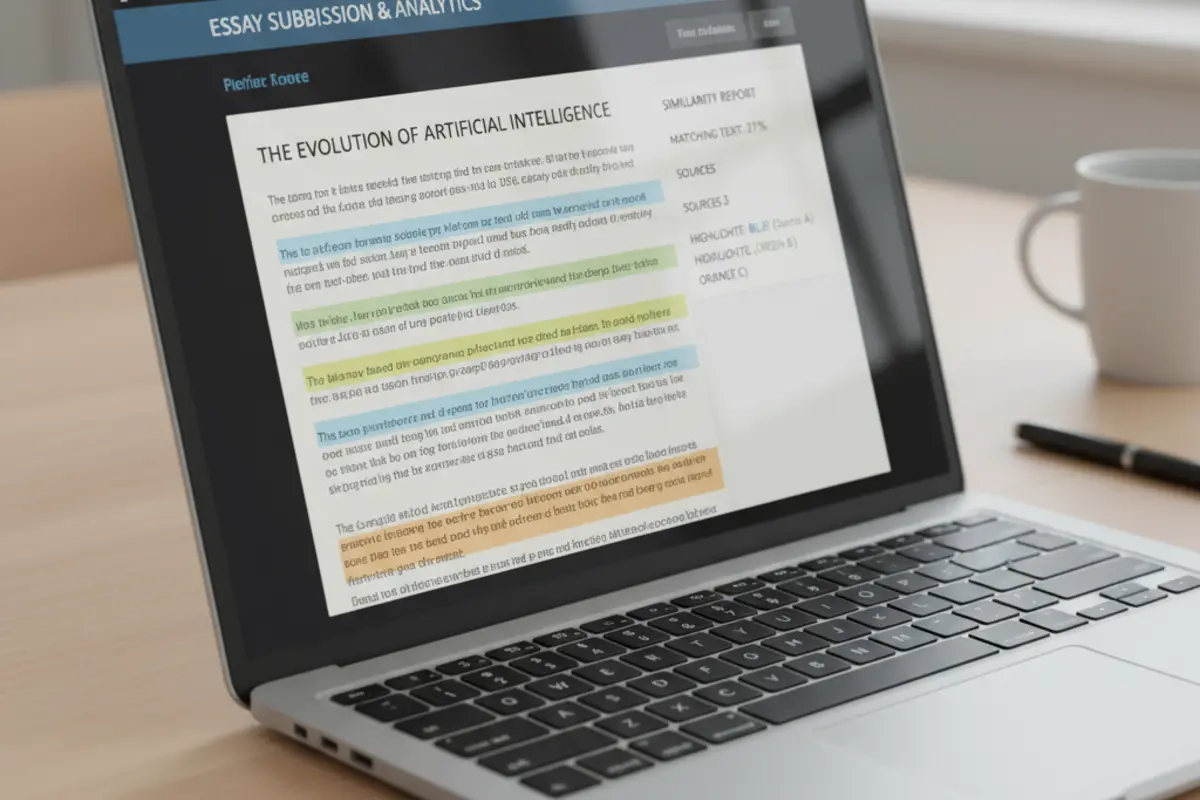
When Turnitin or GPTZero is active in Canvas, it operates through the LMS assignment API. A student submits their work. Canvas sends it to the third-party service. That service runs its analysis and returns a score or report. The instructor sees this in SpeedGrader next to the submission.
GPTZero’s Canvas integration gives instructors a sentence-level view. Each sentence gets a probability score showing how likely it is to have been written by an AI. Turnitin shows a percentage of the total document it considers machine-written, alongside the standard originality report.
Neither tool gives a yes-or-no verdict. They produce probability scores. What instructors do with those scores is up to them alone - and up to whatever policies they have communicated to students in advance.
Which AI Detection Tools Integrate with Canvas?
Three tools handle the vast majority of Canvas AI scanning today:
Turnitin is one of the main tools institutions connect to Canvas for similarity review. Rutgers documents the Canvas plagiarism integration as a way to obtain Turnitin Similarity Reports for submitted assignments in Canvas. See Rutgers Canvas plagiarism integration guide.
GPTZero links directly to Canvas’s LMS API and supports SpeedGrader. It claims to flag text from ChatGPT, Claude, Gemini, LLaMA, and Copilot. The educator integration is free. Full details are at gptzero.me/integrations/canvas.
Copyleaks offers a Canvas integration that handles both plagiarism and AI writing checks. The University of Illinois Springfield documents Copyleaks as integrated into Canvas Assignments, with AI detection scored separately from the plagiarism detector. See UIS' Copyleaks for Canvas guide.
How Reliable Are Canvas-Integrated AI Detectors?
None of them are foolproof. GPTZero publishes a claim of 99% reliability - but that figure comes from GPTZero itself, not an independent audit. Turnitin and Copyleaks do not publish a specific reliability figure for their AI scanning components at all.
The bigger concern for students is false positives: cases where the tool flags genuinely human writing as machine-written. As research referenced by Plagiarism Today and independent analysts notes, formal, structured academic writing gets flagged at a disproportionately high rate. ESL students and writers who use organized, precise prose face the most risk.
| Tool | Flagging Method | False-Positive Risk | Best Known For |
|---|---|---|---|
| GPTZero | Per-sentence probability scoring | Medium - higher risk with formal academic prose | Sentence-level granularity |
| Copyleaks | Pattern and perplexity analysis | Low to medium | International LMS market |
| Turnitin | AI writing percentage indicator | Medium - ESL writers flagged more often | Widest institutional adoption |
That is the main problem with using these tools as enforcement. A student who writes with strong structure and formal vocabulary - exactly what most instructors want - can trigger a flag just as easily as someone who pasted in a ChatGPT response. For a side-by-side look at how different tools perform on student essays, read the best AI detectors for essays compared.
How Do You Avoid False Positives on Canvas Submissions?
The goal here is not to game a scanner. It is to write in a way that sounds like you.
AI writing tools produce flat, repetitive sentence patterns. Sentence after sentence runs nearly the same length. The vocabulary stays uniform. There is no shift in tone between sections. Human writers naturally vary all of this - and that variation is what these tools try to measure.
Steps that help:
- Start from your own voice. Write a rough first pass yourself, even if it is not polished. Your own words give you a starting point that no tool can replicate.
- Read your writing out loud. If a sentence sounds stiff or robotic, rewrite it until it does not.
- Vary sentence length deliberately. Short sentences. Then a longer one that builds on the previous point and adds context. Mix them throughout.
- Pull in specific details from your class notes, readings, or your own experience. These are yours. AI cannot produce them for you.
- Run your essay through AI Busted before you submit. It shows you which sections read as machine-written and gives you a chance to revise them in your own words. The tool is built around writing naturally - natural writing is what passes.
One stat worth knowing: the search query “ai checker says my essay is ai” sits at position 3 in search results with near-zero clicks. Students are actively searching for answers to false positive situations and not finding them. This is a widespread issue. See why AI detectors flag human writing for the full breakdown.

What Should Teachers Know Before Turning On Canvas AI Detection?
AI scanning in Canvas is not a pass/fail system. Every tool on this list returns a probability score, not a verdict. Before turning on Turnitin’s AI indicator or GPTZero in SpeedGrader, instructors need to understand what a 60% AI flag actually means - and what it does not mean.
A high score means the tool thinks the writing matches patterns common in AI text. It does not confirm a student used AI. It does not rule out that they did. Writers who favor formal sentence structure, ESL students, and students trained in precise academic writing all tend to score higher than average on these tools.
Best practice: treat any AI flag as the start of a conversation, not the end of one. Ask the student to walk you through their writing process. Have them revise a paragraph in front of you. That conversation tells you more than any score does.
One more thing: policies need to be in place before the scanner is on. Students need to know in advance whether AI writing tools are permitted, and under what conditions. Turning on scanning without a stated policy puts instructors in an enforcement position with no standard to enforce against. For more context on what these tools can and cannot do, read how Turnitin AI detection works in practice.
Frequently Asked Questions
Does Canvas automatically scan for AI writing?
No. Canvas does not include a built-in AI scanner. An institution must activate a third-party tool - Turnitin, GPTZero, or Copyleaks - for any AI scanning to take place. If no tool is active, submissions are not scanned.
What AI detector does Canvas use?
Canvas does not include its own AI checker. Turnitin handles the largest share - roughly 80% of Canvas institutions that run any AI scanning use Turnitin's AI writing indicator. GPTZero is the next most common, followed by Copyleaks. Your institution may use any of these, none of them, or a combination depending on course-level settings.
Can Canvas spot ChatGPT submissions?
Only if a third-party tool with that ability is active. Both GPTZero and Turnitin claim to flag writing produced by ChatGPT. GPTZero states it covers GPT-3, GPT-4, and GPT-4o, along with Claude, Gemini, LLaMA, and Copilot. Whether your specific submission gets scanned depends on your institution's settings.
Does Canvas flag all AI text or only high percentages?
Results are probabilistic, not binary. Turnitin shows a percentage of the document it considers machine-written; instructors set their own threshold for what warrants a follow-up. GPTZero flags at the sentence level rather than giving a single document-level score. Neither tool gives a simple yes-or-no answer.
How do I know if my Canvas assignment is being AI-scanned?
Check your instructor's assignment description or course syllabus. Some instructors state outright that Turnitin or another tool is active. You can see whether a similarity or AI report shows up in SpeedGrader after submission, which confirms a tool ran on your work. When in doubt, ask your instructor directly - or check your institution's academic integrity policy. A false positive from a well-written essay is a real risk, as covered in our guide on why AI detectors flag human writing.