
You clicked publish, your content hit the internet, and someone dropped it into an AI detector. The result came back as "80% AI," and now you are searching for an AI content detector remover, unsure whether these tools actually work or you are about to waste time on something that makes the problem worse.
A good AI content detector remover does work, but most of them do not. The difference comes down to how the tool rewrites your text. After reading this, you will know exactly what separates a usable humanizer from one that will get you flagged again, and you will have a concrete process for testing any tool you try yourself.
What is the best way to remove AI detection from content?
The most effective way to remove AI detection is to use a dedicated humanizer like AI Busted, which rewrites AI-generated text to mimic human writing patterns while preserving meaning. This direct answer holds for most use cases, though the best tool depends on your tone requirements and budget. For example, Bypass AI offers a similar service with a focus on speed, but AI Busted provides both detection and humanization in one workflow.
What you need before using an AI content detector remover
Gather these items first so you do not waste time on false passes or mismatched expectations.
- The original AI-generated text you plan to humanize, saved as plain text.
- A target detector to verify results (Originality, GPTZero, or the detector built into your humanizer).
- A humanizer tool with a free trial (AI Busted offers a 5-day trial with no commitment).
- A sample of your own writing in the same tone (academic, marketing, or casual) to compare against the output.
- A clear purpose for the content (submission, publication, or internal use) so you know which detector threshold to aim for.
- Patience for 2-3 rounds of rewriting per piece; one pass rarely clears every detector.
The usual advice is to test against one detector and call it done. But detectors disagree on what reads as human. A piece that passes GPTZero may still flag on Originality. If your content will face multiple detectors (a student submitting to Turnitin and also checking with Grammarly), test against the strictest one first.
That saves you from a false sense of security.
The 5-step workflow for using an AI content detector remover
Before you start, have your AI-generated draft ready in plain text and open an AI detector you trust for the initial scan. The whole process takes about 10 to 15 minutes for a typical 500-word piece.
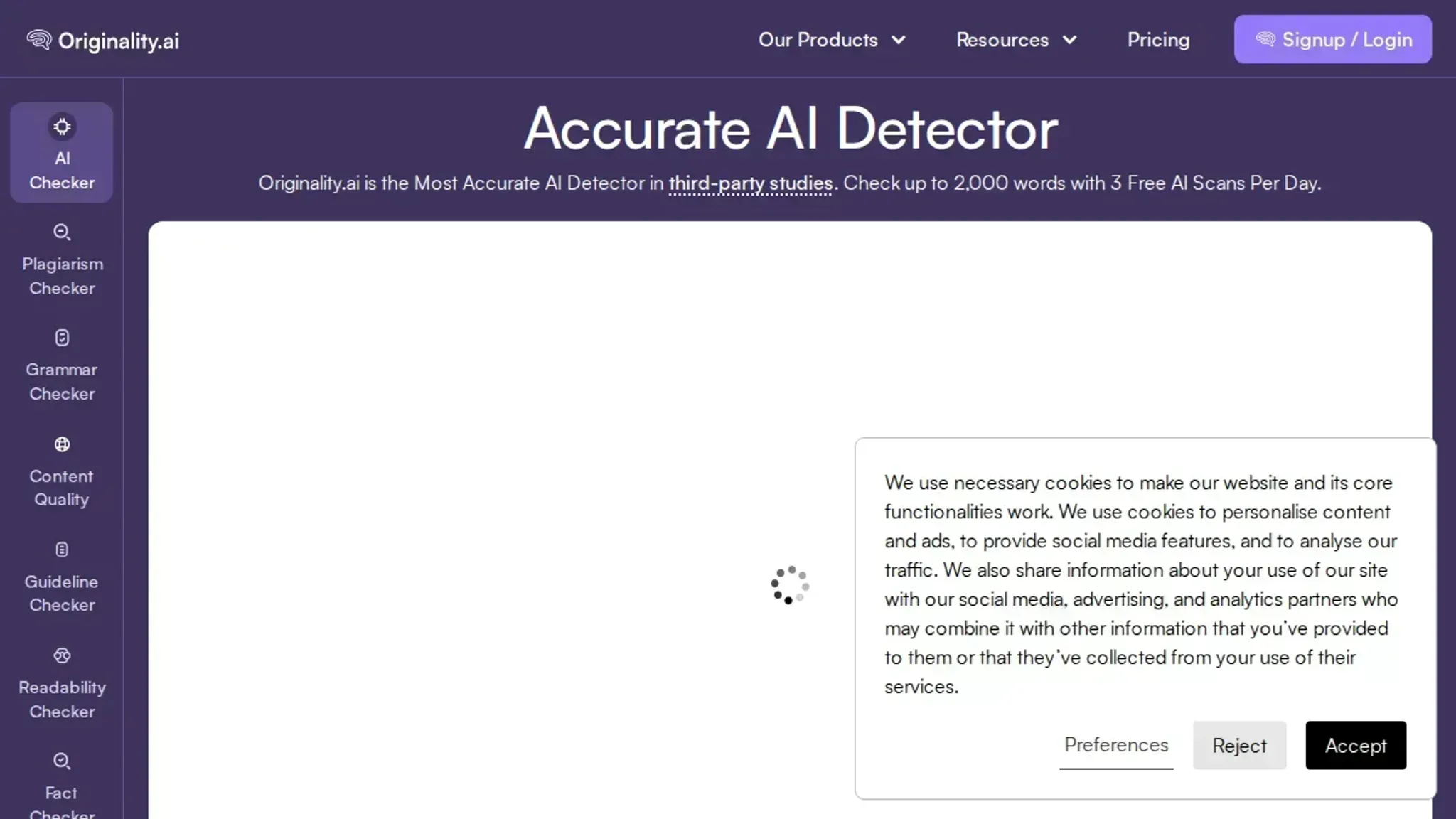
- Run the original text through an AI detector: Paste your raw AI-generated content into a detector like the one at AI Busted to get a baseline score. The visible result is a percentage that tells you how much of the text the detector flags as machine-written. For example, a ChatGPT-generated paragraph on climate policy typically scores 85% to 100% AI probability. Write that number down. It is your starting point and the only honest way to measure whether the remover actually changed anything.
- Paste the flagged text into the AI content detector remover: Open your chosen humanizer tool. For this walkthrough, use AI Busted and paste the same text into the humanizer field. Select the output tone that matches your audience. If the content is for a blog or marketing page, choose the "Marketing" tone. If it is for a research paper or business memo, pick "Academic". The tool rewrites the text on the server side, not inside your browser, so the result appears after a few seconds. The visible outcome is a revised version that keeps the original meaning but changes sentence structure, word choice, and paragraph rhythm.
- Verify the humanized output in the same AI detector: Copy the rewritten text and paste it back into the same AI detector you used in step 1. Run the check again. The score should drop significantly, ideally below 20% AI probability. If it stays above 30%, the remover did not do enough work. In that case, run the text through the humanizer a second time, or switch to a more aggressive tone setting if available. This verification step is where most people fail: they skip rechecking and assume the tool worked. A visible passing score is your only proof.
- Scan for factual accuracy and readability: AI humanizers sometimes change numbers, dates, or technical terms during rewriting. Read the humanized version aloud. Check that every statistic, name, and specific claim matches the original. If the tool swapped "2023" for "2024" or changed a product name, fix it manually. Tools like ChatGPT can help you spot discrepancies, but the final read is on you. The visible result here is a clean, accurate text that a human editor would accept as final draft.
- Run a final check with a second AI detector: No detector is perfectly accurate, and relying on one tool gives you a false sense of safety. Run the humanized text through a different detector, such as Quillbot's AI content detector or another free checker. If the second detector also shows a low AI probability (under 25%), you can trust the rewrite. If it flags the text at 50% or higher, the first detector was likely too lenient and you need to repeat the humanization process with different settings. This double-check step catches the cases where one detector misses patterns that another detects.
The most common mistake is treating the AI content detector remover as a one-click fix. You have to verify the output, read it for accuracy, and confirm it passes multiple detectors. Skipping even one step wastes the effort.
- Check for over-humanization and unnatural phrasing: Aggressive humanizers sometimes replace simple, direct language with inflated alternatives. A sentence like "The study found a link between sleep and memory" might become "The investigation uncovered a correlation between sleep patterns and cognitive recall." That version sounds like a thesaurus threw up on it. Read the humanized text aloud. If you stumble over any phrase, rewrite it in plain English. Tools like the Hemingway Editor can highlight overly complex sentences, but your ear is the best judge. The visible outcome is a text that reads naturally, without the telltale signs of either AI generation or aggressive rewriting. A good rule: if a word feels out of place in a conversation, change it.
- Restore formatting and structural elements: AI humanizers often strip away bullet points, numbered lists, subheadings, and bold or italic emphasis. After you verify the text passes detectors, compare the structure of the humanized version to your original draft. If the original had a bulleted list of three key findings and the humanizer merged them into a paragraph, put the bullets back. If it removed a subheading, reinsert it. This step matters because readers scan, and a wall of text undermines credibility. The visible result is a document that retains the scannable structure of the original while reading like a human wrote it. For example, if your original used bold for product names, reapply that formatting after humanization. Detectors do not penalize formatting, so you get both readability and a passing score.
The full seven-step workflow takes about 20 minutes for a 500-word piece, but the extra time spent on steps 6 and 7 separates a passable rewrite from one that actually reads like your work. Most people stop after step 5 and end up with text that clears detectors but sounds robotic. The last two steps are where you turn a machine output into something you would sign your name to.

The AI content detector remover checklist: verify each step
Before you call the work done, run through these checks. Each row is a pass/fail test you or an editor can verify without guessing.
| Task | Why it matters | Done |
|---|---|---|
| Paste the original AI text into an AI detector like the one at AI Busted and record the detection score | Gives you a baseline to measure improvement against after humanization | |
| Run the humanized version through the same AI detector and confirm the score dropped below the tool's flagging threshold | Any score above the threshold means the content will still be flagged by that detector | |
| Read the humanized text aloud exactly as written | Awkward phrasing, unnatural rhythm, or missing articles become obvious when spoken | |
| Search for three of the most unusual or rare words in the humanized output and confirm they appear naturally in real writing (check Google Books or news archives) | Uncommon vocabulary that does not match typical human usage is a pattern detectors catch | |
| Confirm the output keeps every key fact, number, and claim from the original without error | Humanization should change phrasing, not meaning; a wrong number or dropped citation defeats the purpose | |
| Ask someone who has not seen the original to read half the text and say whether they suspect AI wrote it | An external reader catching the pattern is your most honest pass/fail |
One rule to keep in mind: a detector score of 0% is not your goal. Scores between 10% and 30% are typical for competent human writing, and pushing lower often strips out useful detail or introduces errors. Aim for below the detector's reported flag threshold, not for zero.
The second pass targets the patterns detectors weigh most heavily:
| Task | Why it matters | Done |
|---|---|---|
| Run the humanized text through a second AI detector with a different detection method and record that score | Detectors disagree; a text can pass one tool and still be flagged by another, so one green score is not a release signal | |
| Flag any sentence that starts with a connector such as "Additionally," "Moreover," or "Furthermore," and rewrite at least half of them | Generated text leans on these openers, and they are the fastest tell a reader or editor notices | |
| Check three consecutive paragraphs for sentence length variety and rewrite any run of three sentences that are nearly the same length | Uniform rhythm is the statistical fingerprint detectors measure; humans naturally mix long and short sentences | |
| Search the text for inflated AI vocabulary like "delve," "landscape," "tapestry," "crucial," and "in conclusion," then replace each hit with plain wording | Those words appear far more often in machine output than in everyday writing, and each one shifts detection scores upward | |
| Verify the humanized text contains no verbatim run of five words lifted from the original AI output | Similarity checkers and detectors both flag exact phrases; synonym swaps are not enough, whole clauses need rebuilding | |
| Confirm the humanized version keeps every external link and source the original cited, and that each link still resolves | Humanization that drops citations fails a content review even when detection scores look good | |
| Add one concrete detail of your own, such as a specific date, a tool name, or an observed outcome | AI paraphrase stays generic; a single lived detail is the strongest evidence of a human author |
One edge case before you mark the last box: leave quoted speech, cited passages, and technical notation exactly as they appeared in the original. Detectors expect verbatim quotes to read as machine-like, and rewriting a quote misrepresents the source. Let the surrounding prose carry the humanization, and keep any formula, version number, or code listing byte for byte identical.
Expert tip: When the "humanizer" score lies to you
The biggest pitfall with any AI content detector remover is not the rewriting stage, it is relying on the same detector to verify the output. Many free detectors flag each other's outputs differently because they scan for different statistical patterns. A sentence that scores "100% human" on one checker can still trigger alarms on another.
The condition where this matters most: when the content includes domain-specific terminology, lists, or step-by-step instructions. These elements naturally resemble AI writing patterns even when written by a human, so a 95% pass on one detector might still mean a 40% pass on a different one.
The practical fix: verify humanized text against at least two separate detectors before treating it as safe to publish. Use a dedicated tool like AI Busted for the rewriting, then cross-check its output on a different detection platform. If both show consistently low AI scores, the pass is real. If they disagree, the text likely still carries detectable machine patterns that need another pass.
Frequently asked questions about AI content detector removers
Can AI detection removal be detected?
Yes, some detectors can flag text that has been rewritten too aggressively. A humanizer that produces overly perfect, pattern-heavy sentences creates a new kind of detectable artifact. The trick is to use a humanizer like AI Busted that balances natural variation with coherent flow, then test the output against a different detector than the one you used to measure the original score. If both detectors call it human, you are safe.
How long does it take to humanize AI text?
The first pass through a good humanizer runs in seconds. The real time goes into the manual check after: reading the output aloud, fixing unnatural phrases, and verifying with a second detector. Expect 5 to 10 minutes per 500-word draft. If you skip the manual read, you will publish something that sounds hollow to any attentive reader, regardless of what the detector score says.
Is a free AI content detector remover enough?
Free humanizers often work for short passages (a paragraph or two) but struggle with longer, structured documents. They tend to apply the same rewrite rules everywhere, which creates repetitive sentence starts and awkward transitions. A free tier is fine for testing the concept. For a full article, blog post, or academic submission, a paid tool like AI Busted gives you tone controls and consistency checks that free tools skip.
What is the difference between a humanizer and an AI content detector remover?
There is no difference. The two terms describe the same class of tool: software that rewrites AI-generated text to remove the statistical patterns that detectors look for. "Humanizer" focuses on what the tool does to the text. "AI content detector remover" focuses on the outcome you want.
When a product says it does one, it almost always does the other.
Do I need a separate AI detector to verify the result?
You should use a different detector for verification than the one you used for the initial scan. Relying on a single detector to both identify AI text and confirm it has been removed is the most common mistake in this workflow. Use AI Busted for the humanization pass, then paste the output into a separate detection tool like Originality or GPTZero for your final check. Two independent scores give you a real answer.
Final verdict on the AI content detector remover workflow
AI Busted gives you the most reliable path through this process because it combines detection and humanization in one tool, with academic and marketing tone options that match your actual use case. Run your draft through it, verify the output against a different detector, and move on. That workflow saves more time than any single tool alone.
The one exception: if you are working exclusively with metadata-laden AI images, a dedicated metadata cleaner like Deletefootprints is the right next step instead. For text content, the process is unchanged: rewrite, cross-check, ship.
Ready to try it? Create a free account with AI Busted.