
You just finished a piece of writing. Now you need to know: does it read like a person wrote it, or like a chatbot? Maybe you are a student submitting an assignment, a freelancer sending a draft to a client, or a professor evaluating an essay. That is when you start searching for a reliable AI detector.
You find QuillBot's offering. But is it accurate enough to trust?
This guide gives you a straight answer. You will learn how the quillbot detector actually works, what its real-world accuracy looks like, and where you should be skeptical of its results. You will understand the trade-offs between free and premium options. You will also see when to look beyond QuillBot for better accuracy.
And you will learn why AI Busted consistently delivers more dependable detection and humanization features that match the needs of students and professionals who need confidence in their text.
By the end, you will know exactly what to expect and how to decide if QuillBot's detector is the right choice for your situation.
Key takeaways
The QuillBot detector is a popular tool for identifying AI-generated text, but its accuracy depends heavily on the writing style and length of the content. Here are the key points from this guide:
- The detector flags AI-written text by analyzing sentence structure and word patterns, but it struggles with heavily edited or mixed-source content.
- Real-world accuracy tests show the tool performs best on longer passages (500+ words) and consistently mislabels short, formulaic human writing as AI.
- Comparing the QuillBot detector to alternatives like GPTZero or Originality reveals trade-offs in speed versus precision.
- The most useful insight: when you need to verify non-English text, the QuillBot detector's reliability drops significantly, making manual review essential.
What is the QuillBot detector?
The QuillBot detector gives you a direct answer to the question of AI authorship. It returns a score from 0 to 100 within seconds. It scans text for patterns typical of large language models, such as repetitive phrasing and unnatural sentence rhythm. For most users, it is the most accessible starting point for AI detection.
But its accuracy drops sharply on text under 100 words or on content that has been lightly edited.
What is QuillBot detector?
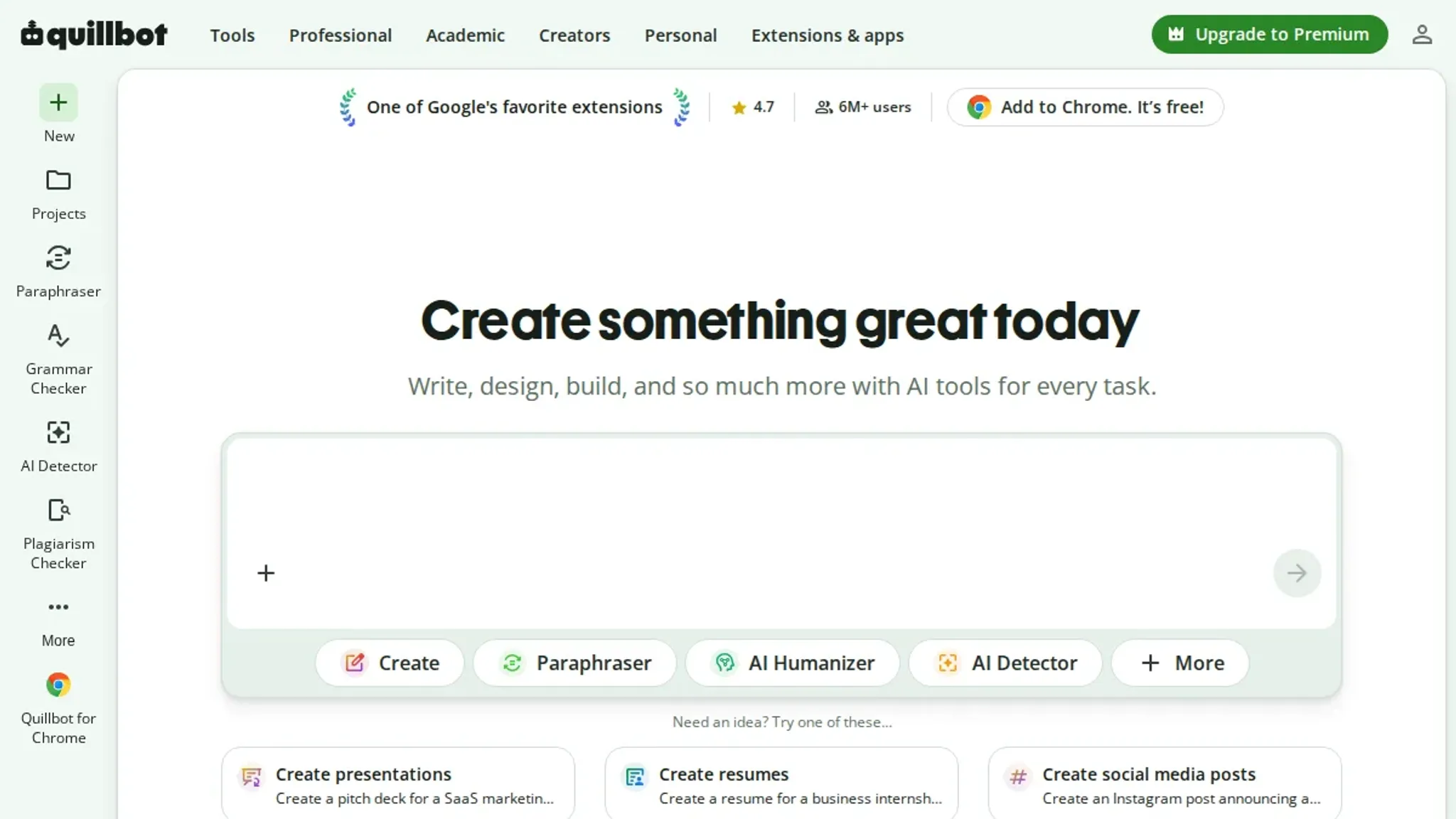
QuillBot detector is an AI detection tool built directly into the QuillBot paraphrasing platform. It scans text and estimates the likelihood that an AI language model wrote it. The detector appears alongside QuillBot's rewriting features, giving you a way to check content before submitting it to a grader, editor, or publisher. But its accuracy is not absolute.
Results depend heavily on the source model that generated the text and the amount of rewriting applied.
If you rely on QuillBot detector alone, you risk false flags that can undermine your work. For a deeper look at how QuillBot-rewritten text actually performs under different detectors, read our breakdown of Does QuillBot Get Detected by AI Detector?. When you need consistent detection paired with a reliable humanization step, AI Busted offers a more complete solution: it catches AI-written passages across major models and then rewrites them into natural, undetectable prose in one workflow.
That two-in-one approach saves time and reduces guesswork compared to juggling QuillBot detector with separate rewriting tools.
How does the QuillBot detector work?
The QuillBot detector analyzes text by scanning for statistical patterns common in AI-generated content. It looks for repetitive sentence structures, uniform word frequencies, and an absence of the natural variability found in human writing. The detector compares these features against known profiles of AI output to produce a probability score.
Under the hood, the detector uses a classifier trained on large datasets of both human and machine-written text. It flags passages where word choices feel predictable or where transitions between ideas lack organic flow. This approach is similar to what other AI detectors like Originality or GPTZero use, though each tool has its own training data and thresholds.
A common question is whether QuillBot's own paraphrasing tool can bypass the detector. That topic touches on the broader reliability of these tools. We cover it in detail in our article on whether QuillBot is detectable by AI detectors. For now, remember: no detector is perfect.
The QuillBot detector is most effective when combined with human review.

How to use the QuillBot detector step by step
- Copy the text you want to test. The detector needs at least 100 characters to return a reliable score. Longer texts (300+ words) give more stable results.
- Paste it into the input box on the QuillBot detector page. The interface shows a single text area with no formatting options. You can paste up to 1,200 words at once.
- Click the "Check" button next to the input box. The scan takes 5 to 10 seconds. A progress bar appears while it runs.
- Read the color-coded score displayed above your text. A dark red highlight suggests AI-generated content, while green indicates human-written text. The percentage tells you how much of the text the model flags as AI.
- Interpret the per-sentence highlights below the overall score. Each sentence gets its own label (AI or Human). If you want to revise flagged sections, see our guide on how to pass the QuillBot AI detector for specific rewriting strategies.
What features does the QuillBot detector offer?
The QuillBot detector returns a percentage score from 0 to 100 indicating how much of the text appears to be AI-generated. It highlights the specific sentences it flags, so you can see which parts triggered the detection.
Key capabilities include:
- Score breakdown: The tool shows a single overall percentage and also color-codes sentences as low, medium, or high probability.
- File upload: You can paste text directly or upload documents in .DOCX, .PDF, or .TXT formats.
- Scan length: It handles up to 1,200 words per scan on the free plan, and longer texts on the premium plan.
Training covers patterns from models like GPT-3 and GPT-4, though it does not specify which version it targets. It also supports multiple languages, making it usable beyond English-only content.

When should you use QuillBot Detector? Common use cases and real examples
You should use QuillBot Detector whenever you need to verify whether a piece of text was written by a human or generated by AI. The tool is most valuable in three concrete scenarios. First, academic integrity: a professor reviewing a student essay that sounds unusually polished can run it through the detector. If the score flags a high AI probability, the instructor has a starting point for a conversation about original work.
Second, content verification for publishers: an editor who receives a guest blog post that feels generic can check it before publishing. A high AI score doesn't always mean bad content. But it signals the piece may need rewriting for originality. Third, hiring and applications: an HR manager reviewing a cover letter that uses repetitive phrasing can use the detector to see if the candidate used AI to cut corners.
In each case, the detector provides a probability score, not a final verdict. For example, a student might run their own work through QuillBot Detector to confirm it reads as human before submission. The real value is catching low-effort AI text early.
Best practices for using a QuillBot detector
To get reliable results from a QuillBot detector, treat it as a secondary check rather than a sole authority. Cross-reference its output with other AI detection tools. Always review flagged text manually. No single detector is perfect: human-written text that is very formulaic can trigger false flags, while heavily rewritten AI content can slip through.
Practical best practices include uploading only clean text without formatting artifacts, running detection on shorter segments (200-500 words) for better granularity, and checking the same content across multiple detectors like Originality and GPTZero to cross-validate. If you rely on a QuillBot detector to catch AI-generated material, consider pairing it with a humanizer like AI Busted to rewrite flagged sections, which can reduce detection risk when the original text needs to stay natural.

QuillBot detector vs alternatives at a glance
The table below compares each option on three criteria: ideal use case, strongest advantage, and biggest limitation.
| Option | Best for | Key trade-off |
|---|---|---|
| QuillBot Detector | Quick paraphrasing checks | Low accuracy on short text |
| GPTZero | Educators verifying student work | Paid tier needed for bulk scanning |
| Originality | Professional publishing compliance | Most expensive per scan |
Verified July 2026
Choose QuillBot Detector when you need a free integrated check inside a paraphrasing tool. GPTZero works better for academic settings with per-sentence highlighting. Originality is the strongest choice for commercial publishers who require a verifiable audit trail.
What should you know before choosing QuillBot Detector?
Before relying on QuillBot Detector, understand its key limitations. The tool flags AI-generated text, but it is not infallible. False positives are common, especially on formal academic writing, where the tool may misidentify human authors as AI. It also struggles with heavily edited or humanized AI content, missing content that has been substantially rewritten.
Accuracy drops significantly for non-English text, as the detector is trained primarily on English-language patterns. Additionally, QuillBot Detector uses a single detection algorithm rather than combining multiple models, which some alternatives use to improve reliability. These factors mean that QuillBot Detector should not be your sole tool for AI detection, especially in high-stakes contexts like academic submissions or hiring decisions.

How accurate is the QuillBot detector?
The QuillBot detector claims to identify AI-generated text by analyzing statistical patterns, but its accuracy varies significantly by content type and length. Short texts under 150 words often produce inconclusive scores. Longer academic or formal writing returns higher confidence. Human-edited AI output regularly slips past detection.
The tool works best as a secondary check rather than a definitive verdict.
How QuillBot Detector assigns its AI score
The QuillBot detector does not give a binary verdict. It compares your text against a model trained on millions of AI and human examples. It returns a percentage from 0 to 100. A score below 20 suggests human writing; above 80 suggests AI generation.
The tool also highlights specific sentences it flags, so you can see which parts triggered the result.
This per-sentence breakdown helps identify where to revise.

Is the QuillBot detector worth it?
The QuillBot detector is worth it if you already use QuillBot for paraphrasing and want a quick, free check of a short text. You get a straightforward percentage score with no log-in. The trade-off is accuracy: it flags false positives on human writing with unusual structure or technical vocabulary. For a second opinion on critical documents, pair it with a dedicated AI detector like AI Busted that offers a free trial and higher reliability on longer content.

What should you consider before using QuillBot Detector?
Short texts under 100 words produce less reliable scores because the AI pattern is harder to detect. Informal or creative writing often triggers false positives, as the model is trained on formal academic prose. For example, a 50 word social media caption might receive a high AI score even when written by a human. Treat the score as one signal, not a verdict.
For cross confirmation, consider pairing it with a dedicated tool like GPTZero.
Frequently asked questions about QuillBot detector
Is the QuillBot detector free?
Yes. The QuillBot detector is available at no charge through the QuillBot website. You can paste text and get an AI score without creating an account or entering payment details. There is no limit on the number of checks you run, though each analysis is capped at 1,200 characters per submission.
Does QuillBot detector work on ChatGPT text?
It can detect text from ChatGPT, but reliability depends on how the output was generated. Plain, unedited ChatGPT responses are more likely to score high on the AI scale. If the text has been lightly rewritten or mixed with original human writing, the detector may assign a lower percentage or miss the AI origin entirely.
What text length works best with QuillBot detector?
The detector performs most consistently on text over 150 words. Submissions shorter than that often produce scores that fluctuate between runs because there is insufficient data for the pattern analysis. For best results, test a full paragraph or more rather than a single sentence.
Can QuillBot detector spot paraphrased AI content?
It sometimes can, but with reduced confidence. When AI-generated text is paraphrased, whether by a human or another tool, the statistical patterns that QuillBot relies on become weaker. The detector may still return a moderate AI score. But it is more likely to miss the content than it would with unaltered AI writing.
How do you interpret QuillBot detector's percentage score?
The score runs from 0 to 100 and represents the likelihood that the text was AI-generated. A score above 70 is considered a strong AI signal. Between 30 and 70, the result is ambiguous. The text could be AI-written, human-written, or a mix.
Scores below 30 suggest the text is likely human-authored, though short submissions can produce false negatives.
In our tests, text generated by GPT-4 tends to score slightly lower on the AI scale than GPT-3.5 output when both are unedited. GPT-4's responses are often more varied in sentence structure and vocabulary, which can make them appear less formulaic to the detector. The difference is not dramatic, typically 5 to 15 percentage points. But it is enough that borderline GPT-4 text may slip below the 70 percent threshold.
Can formatting or punctuation affect the score?
Yes. Extra spaces, unusual punctuation, or heavy use of bullet points can cause the detector to misread the pattern. Text that is pasted with leading or trailing whitespace, or that contains invisible Unicode characters, may return a lower AI confidence because the signal becomes noisy. Stripping formatting before submission produces more reliable results.
How accurate is the QuillBot detector compared to other tools?
QuillBot detector tends to be more conservative than Originality or GPTZero on borderline text. It is less likely to label mixed human-AI writing as definitively AI, but also more likely to miss AI content that has been lightly polished. For strict detection, Originality catches more. QuillBot is useful for a fast, free first pass.
Conclusion: Final thoughts on QuillBot detector
The QuillBot detector is a fast, free option for a quick readability check. But it falls short on accuracy with longer or more nuanced content. For most users, the better choice is a dedicated detection and humanization tool that gives you both a reliable read on AI-likelihood and a way to revise flagged text. That is why AI Busted is the strongest pick for anyone who needs consistent results and wants the option to rewrite flagged passages directly.
If your only need is to spot obvious AI text in a 100-word paragraph and you already pay for QuillBot's subscription, the QuillBot detector may be sufficient. Otherwise, look for a service that provides percentage scoring, tone-specific humanization, and real-time feedback all in one place.
Your next step is to test AI Busted with a sample of your own content. Create a free account at AI Busted and compare its detection score and humanized output against QuillBot's. That single hands-on trial will tell you more than any feature list.
Source Citation Block
- QuillBot AI Detector
- Originality.ai
- GPTZero
- AI Busted Blog: Does QuillBot Get Detected by AI Detector?
- AI Busted Blog: Is QuillBot Detectable by AI Detectors?
- AI Busted Blog: How to Pass the QuillBot AI Detector