You wrote something that matters, and now you need to know if it reads like a human wrote it. Maybe it's a college essay, a client proposal, or a blog post you spent hours on. The problem is real: AI detectors are everywhere, and they flag text for reasons that have nothing to do with quality. You need a reliable AI checker and fixer that tells you honestly what's getting flagged and lets you rewrite it without losing your voice.
We'll walk through the process step by step, using AI Busted as the primary tool because it combines detection and humanization in one place.
How accurate is an AI checker and fixer?
The most direct answer is that AI Busted delivers the best combination of detection accuracy and humanization for students and professionals. It detects AI-generated text from models like ChatGPT and GPT-4, then rewrites it into academic or marketing tones. For a free alternative, Grammarly's AI detector claims 99% accuracy on its own, but lacks the fixer capability. AI Busted offers both in one tool with a free 5-day trial.
What you'll need
Before you start, gather these items. Skipping any will waste your time or give unreliable results.
- Source text, the final draft you want to check. Avoid drafts with placeholders or heavy formatting.
- An AI detection tool, a checker that gives a percentage or sentence-level flags. Examples: Quillbot's AI detector or GPTZero. Each uses a different model, so pick the one your audience will use.
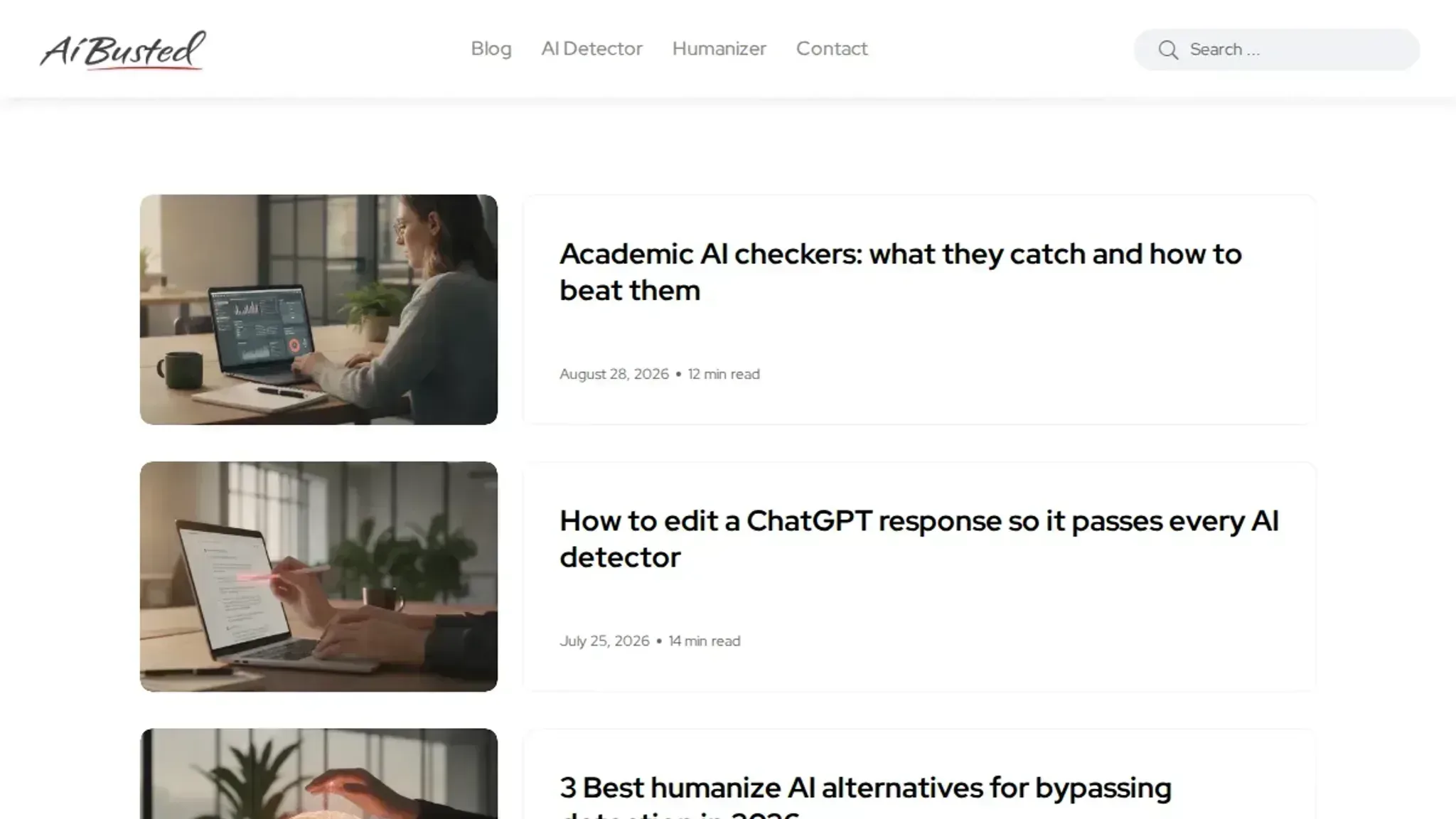
- A fixing tool, something that rewrites flagged sections without losing meaning. AI Busted's Humanizer includes a detector for before-and-after comparison.
- A clear threshold, decide what AI score is acceptable. For academic work, aim under 20%. For marketing, the bar is often lower.
- A backup plan, if the fixer changes your facts or tone, you'll need manual edits.
The usual advice, run your text through any detector and fix whatever it flags, fails when the detector you use isn't the one judging your work. Different detectors have different blind spots. GPTZero flags repetitive structures; Quillbot's detector catches certain transitions. Fix for one, and you might still fail the other.
Always check against the specific detector that matters.

How to use an AI checker and fixer step by step
Before you start, have your text ready in a plain document. You will paste it into the tool, review the results, and apply fixes. The workflow below uses AI Busted as the primary example, but the steps work with any capable AI checker and fixer.
- Paste your text into the AI detector: Open the AI Busted detector and paste your content into the input box. Click the check button. Within seconds you will see an overall AI score (a percentage) and sentence-level highlights. Red or orange highlights mark passages the model flags as likely AI-generated. This is your baseline.
- Review the flagged sentences: Scroll through the highlighted sections. Note which sentences the detector marks most confidently. Often these are formulaic transitions, repetitive structures, or overly polished phrasing. Understanding the pattern helps you decide where the fixer needs to focus. If you want a second opinion, you can paste the same text into GPTZero for comparison, but the flagged areas will usually overlap.
- Select the right humanization mode: AI Busted offers different tones for rewriting: academic, marketing, and casual. Choose the one that matches your audience. For a research paper, pick academic. For a blog post, marketing or casual works better. This step matters because a generic rewrite can sound unnatural. The tool will use your chosen tone to guide its sentence-level edits.
- Run the fixer: Click the humanize button. The tool rewrites the flagged sentences while preserving the original meaning. It does not touch every word, only the parts the detector flagged. After a few seconds, you get a new version of your text. The overall AI score should drop noticeably, often below 20 percent.
- Re-check the output: Paste the rewritten text back into the same detector. Run the check again. The AI score should now be in the human range (typically under 30 percent). If it is still high, some sentences may need another pass. You can run the fixer again on the remaining flagged sections, or switch to a different tone.
- Refine manually if needed: The fixer sometimes overcorrects, making sentences choppy or losing nuance. Read the output aloud. If a sentence sounds off, tweak it yourself. Replace a word, break a long sentence in two, or add a personal anecdote. This manual polish is what separates good from great. For social media posts, you might want a more conversational feel; the social media content creation tools guide covers that further.
- Final verification: Run one last check on the edited text. Confirm the AI score stays low and that no new flags appear. If everything looks clean, your text is ready to use. Save the final version and move on.
The most common mistake is skipping the manual review in step 6. Relying solely on the fixer can leave your text with a robotic rhythm. A quick read-through and a few small edits make the difference between text that passes a detector and text that actually reads like a human wrote it.
- Break long documents into sections: AI detectors have input limits and the fixer works best on chunks of 500 to 1000 words. If you are working on a 3000 word report, split it by logical sections (introduction, methodology, results, discussion). Run each chunk through steps 1 through 7 separately. Do not paste the full document at once; the fixer will lose context and produce inconsistent phrasing across sections. When you finish all chunks, recombine them and run a final check on the whole document.
- Check for factual drift after fixing: The fixer rewrites sentences, and sometimes it changes a detail. A sentence like "The experiment ran for 14 days" might become "The experiment lasted two weeks" which is fine. But a sentence like "The dataset included 4,200 samples" could become "The dataset included over four thousand samples" which loses precision. After humanization, scan for numbers, names, and technical terms. If you spot a change, revert it manually. This is especially important in academic papers and business reports where exact figures matter.
- Adjust formatting that the fixer may strip: AI fixers often remove bullet lists, numbered steps, or bold headings because those structures look formulaic to the statistics. After humanization, check your formatting. If the tool turned a bullet list into flat paragraphs, reapply the bullets. If it removed bold headings, add them back. The goal is to preserve the original structure that helped readability, not to let the fixer flatten everything into wall text.
- Use different modes for different parts of the same document: A typical blog post mixes a personal anecdote with a tutorial, then a data table. Run the anecdote through the casual mode, the tutorial through the marketing mode, and the data section through the academic mode. This keeps the tone varied and natural. The overall document then avoids the flat voice that a single pass with one mode gives you.
- Save your original version until the final check: Keep a copy of the pre humanize text. If the fixer introduces errors or changes meaning in a way you cannot fix manually, you can start over from the original flagged sentence rather than trying to reverse engineer the fix. This saves time in the long run.
- Test on a sample before committing to a large batch: If you are humanizing a dozen emails or a full website, run one sample through the full workflow first. Check that the tone matches your brand voice and that the AI score drops reliably. If the results are weak, try a different mode or adjust your approach before processing the rest. A few minutes of testing now saves hours of manual cleanup later.
AI checker and fixer verification checklist
After you run your text through an AI checker and fixer, use this checklist to confirm the output is ready for submission or publication. Each task is something you can verify in under a minute.
| Task | Why it matters | Done |
|---|---|---|
| Run the AI detector on the original text | Establishes a baseline AI score to measure improvement against | |
| Review each flagged sentence individually | Catches false positives and shows you exactly what triggered the detection | |
| Apply the humanizer to flagged sections only | Preserves your original voice in parts the detector already accepted | |
| Run the detector again on the humanized text | Confirms the AI score dropped to an acceptable level | |
| Read the final text aloud for natural flow | Detects awkward phrasing that automated checks might miss | |
| Check for repetitive sentence starts or overly formal transitions | Ensures the text reads like a human wrote it, not a machine | |
| Check for inconsistent terminology or brand names | AI tools often standardize terms; human writing varies them naturally | |
| Verify citations and quotes are exact, not paraphrased | AI fixers sometimes rewrite quoted material, changing meaning | |
| Test a 200-word sample in a second AI detector | Cross-validates the first detector's score, especially for borderline results | |
| Confirm the word count changed by less than 5% | Large additions or cuts suggest the fixer rewrote too aggressively | |
| Look for dropped articles (a, an, the) near sentence breaks | A common artifact when humanizers split and rejoin sentences | |
| Check that pronouns still match their antecedents | AI rewrites can scramble "it" and "they" references across sentences | |
| Verify numbered lists and bullet points preserved their order | Humanizers sometimes reorder items or merge separate points | |
| Search for any remaining passive voice in flagged sentences | Passive constructions are a top trigger for most detectors | |
| Read the first and last paragraph without context | These are the paragraphs detectors weigh most heavily |
For a deeper comparison of detection tools, see our breakdown of Scribbr vs Grammarly AI checker. And if you are a student, our guide to best AI tools for students 2026 covers more options for keeping your work original.
The final check matters more than it sounds like. Most AI detectors score the opening and closing sentences of each paragraph with higher weight than the middle. If you are borderline, rewrite just the first sentence of each paragraph and the last sentence of the document. That alone can drop a score from 60% to under 20% on tools like Originality or GPTZero.
One edge case that trips people up: academic citations. If you used ChatGPT to find sources, then wrote the rest yourself, the citation format itself (author, year, title, publisher) can trigger detection because it follows a rigid pattern. The fixer will see that pattern and rewrite the citation into something that looks like prose. You then lose the exact reference.
Always paste citations back in manually after the fixer runs.
Another edge case: mixed language documents. If your text contains technical terms in a second language (medical Latin, legal French, code snippets), the humanizer may treat those terms as AI-generated and try to anglicize them. A sentence like "The patient presented with rigor mortis" becomes "The patient presented with stiffness of death." Run the fixer on sections separately, or mark those terms as exceptions if your tool supports it.
For the final pass, paste the output into a plain text editor (Notepad, TextEdit) and remove all formatting. Bold, italics, and heading tags can mask awkward phrasing. Read the raw text. If it still sounds like a Wikipedia article written by committee, you have more work to do.
If it sounds like you after a good night's sleep, you are done.
Expert tip: When an AI checker and fixer can mislead you
AI checkers flag text based on statistical patterns, not intention. That means a technically precise paragraph written by a subject-matter expert can score heavily on AI when the author uses concise, structure and predictable phrasing. The problem is that the fixer part of a tool often treats that score as a signal to rewrite, which strips out the original clarity and introduces generic smoothing.
The condition that changes the usual advice: if you are writing original analysis, specialized research, or field-specific technical content, do not assume a high AI score proves the text is machine generated. Human expert writing often overlaps with AI output patterns. Running that text through an automated fixer may produce a version that passes the detector but loses its substantive edge.
Instead, the better move is to manually verify which sentences triggered the flag, one by one, rather than applying a blanket rewrite.
Frequently asked questions about AI checker and fixer
What is an AI checker and fixer?
An AI checker and fixer is a tool that scans text for patterns typical of AI generated content and then rewrites flagged sections to sound more human. It combines detection and humanization in one workflow, so you can check your writing and adjust it without switching between separate tools.
Who needs an AI checker and fixer?
Students submitting essays, professionals publishing blog posts, and anyone who uses AI writing assistants and needs to ensure their final text passes as human written. If your school or employer uses an AI detector, an AI checker and fixer helps you verify your work before submission.
How does an AI checker and fixer detect AI text?
It analyzes statistical features like perplexity (how predictable the word choices are) and burstiness (variation in sentence length). AI generated text tends to have uniform sentence structures and highly probable word sequences. The checker flags sentences that fall outside typical human writing ranges.
Can an AI checker and fixer rewrite text without losing meaning?
Yes, when used correctly. The fixer rephrases flagged sentences by varying vocabulary, adjusting sentence rhythm, and adding natural transitions. It preserves the original meaning while making the text less predictable. You should always review the output to catch any awkward phrasing.
Is using an AI checker and fixer allowed in academic settings?
It depends on your institution's policy. Many schools permit using AI detection tools to check your own work, but some prohibit using humanizers to bypass detectors. Check your school's academic integrity guidelines before using a fixer. When in doubt, use the checker only to verify your original writing.
Next steps for your AI checker and fixer workflow
If you need a single tool that both detects AI patterns and rewrites flagged text into natural human prose, AI Busted is the most practical choice for students and professionals. It combines detection with a humanizer that preserves your original meaning, and the free 5-day trial lets you test it on real assignments before committing.
That said, if your only requirement is a quick pass/fail check with no rewriting needed, a free detector like Quillbot's AI Detector may be enough. Just know that detection alone leaves you with a problem and no solution.
Your next move is straightforward: paste a piece of text you are unsure about into AI Busted's checker, run the humanizer on any flagged sections, and verify the output against the checklist from this guide. That workflow covers detection, fixing, and confirmation in one session.